
Is your smoke detector beeping nonstop and driving you crazy? That constant beep can be more than just annoying—it can make it hard to focus, sleep, or even feel safe in your own home.
But don’t worry, you don’t have to live with that noise. You’ll discover simple, effective steps to stop your smoke detector from beeping and get peace back in your space. Keep reading, and you’ll learn how to fix the problem quickly, so you can relax without the constant alarm sounding in your ears.

Credit: waynealarm.com
Common Reasons For Beeping
Smoke detectors beep to alert you about potential problems. These beeps help keep your home safe. Knowing why your smoke detector beeps stops worry and noise. Here are the most common reasons for beeping.
Low Battery Alerts
Most beeping happens because the battery is low. Smoke detectors need fresh batteries to work well. When the battery weakens, the detector sends a warning beep. Changing the battery usually stops the noise fast.
Dust And Debris Buildup
Dust and dirt can block the sensor inside the detector. This buildup causes false alarms or beeping sounds. Cleaning the detector with a soft brush or vacuum can fix this. Regular cleaning keeps your smoke detector working properly.
End Of Life Warning
Smoke detectors do not last forever. After about 8 to 10 years, they need replacement. The detector will beep to tell you it is time. This warning helps ensure your home stays protected with new devices.
Electrical Issues
Some smoke detectors connect to your home’s power. Electrical problems can cause beeping sounds. Loose wires or power outages may trigger the alarm. Checking the connections or calling an electrician can solve this issue.
Immediate Steps To Silence Beeping
Smoke detectors often beep to warn about potential danger or issues. The beeping can be annoying and stressful. Acting fast helps stop the noise and keeps your home safe.
Start by checking simple fixes. Many times, the problem is easy to solve. Follow these quick steps to silence the beeping.
Resetting The Detector
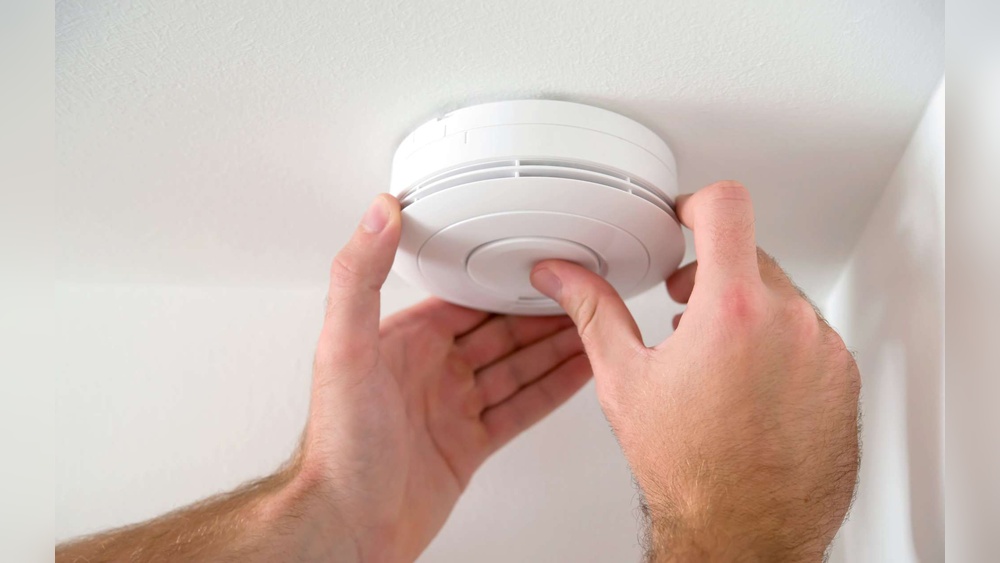
Locate the test or reset button on the detector. Press and hold it for 15 to 20 seconds. This action clears any false alarms or errors. The beeping should stop after resetting. If it continues, try the next step.
Replacing The Battery
Open the detector’s battery compartment. Remove the old battery carefully. Insert a new, fresh battery in the right position. Close the compartment securely. The low battery often causes beeping sounds. Replacing it usually stops the noise quickly.
Cleaning The Sensor
Dust and dirt can trigger false alarms. Use a soft brush or vacuum to clean the sensor area gently. Avoid spraying cleaners or water inside the detector. Regular cleaning prevents beeping caused by dust buildup. After cleaning, check if the sound stops.
Battery Replacement Tips
Battery replacement is the key step to stop your smoke detector from beeping. Knowing how to pick and install the right battery can save time and keep your home safe. Regular care of the battery also keeps the detector working well.
Choosing The Right Battery
Always check the smoke detector’s manual for the correct battery type. Most detectors use 9-volt or AA batteries. Use fresh batteries from a trusted brand. Avoid old or low-quality batteries to prevent early beeping.
Proper Battery Installation
Turn off the smoke detector before replacing the battery. Open the battery compartment gently. Insert the battery with the correct polarity, matching the plus (+) and minus (-) signs. Close the compartment securely to avoid loose connections.
Battery Maintenance
Change batteries at least once a year. Test the detector monthly by pressing the test button. Remove dust and debris from the battery area to keep contacts clean. Store spare batteries in a cool, dry place for best performance.
Cleaning And Maintenance
Keeping your smoke detector clean is key to stopping it from beeping. Dirt and dust cause false alarms and constant noise. Simple cleaning and regular checks help your device work well and last longer.
Safe Cleaning Methods
Turn off the power to the smoke detector first. Use a soft brush or a vacuum cleaner with a small nozzle. Gently remove dust from the outside and vents. Do not use water or cleaning sprays. Avoid harsh chemicals that damage the sensor.
Preventing Dust Accumulation
Place smoke detectors away from dusty areas like kitchens or garages. Keep windows and doors closed during heavy dust or construction work. Use air purifiers to reduce dust in your home. Regularly dust nearby surfaces to limit particles reaching the detector.
Regular Maintenance Schedule
Check your smoke detector every month. Clean it at least twice a year, more often if needed. Replace batteries yearly or when the low battery beep starts. Test the alarm monthly to ensure it sounds loud and clear. Keep a reminder to maintain your smoke detector on time.
When To Replace The Detector
Knowing when to replace your smoke detector is key to home safety. A beeping sound might mean the detector is old or faulty. Replacing it at the right time ensures your home stays protected.
Lifespan Of Smoke Detectors
Most smoke detectors last about 8 to 10 years. After this period, their sensors wear out. Old detectors may not sense smoke properly. Check the manufacture date on the back to know its age.
Signs Of Malfunction
Frequent beeping or false alarms can show the detector is failing. The device may not respond to tests. A detector that never stops beeping may need replacement. Don’t ignore these warning signs.
Upgrading To New Models
New smoke detectors have better sensors and features. Some models include voice alerts or smart home compatibility. Upgrading improves safety and convenience. Choose one that fits your home’s needs.

Credit: www.angi.com
Dealing With Hardwired Smoke Detectors
Hardwired smoke detectors are connected directly to your home’s electrical system. This connection keeps them powered constantly, but it can cause beeping if there is a problem. Knowing how to stop the beeping helps keep your home safe and quiet.
Dealing with hardwired smoke detectors requires careful steps. Check the wiring and reset the system to fix common issues. If problems continue, professional help may be necessary.
Checking Electrical Connections
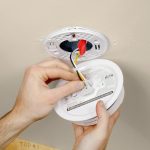
Start by turning off the power at the circuit breaker. Remove the detector from its mounting plate carefully. Look for loose or disconnected wires. Tighten any loose connections using a screwdriver. Make sure wires are connected to the correct terminals. Once done, reattach the detector and turn power back on. This simple check often stops false beeping.
Resetting Hardwired Systems
Resetting can clear errors causing the alarm to beep. Turn off power at the breaker again. Press and hold the smoke detector’s test button for 15 seconds. Release the button and wait for the system to reset. Restore power and watch for any beeping. This step resets the detector’s internal memory and can solve many issues.
Professional Help Options
Call an electrician if beeping continues after basic fixes. They can test the wiring and the smoke detector itself. Professionals know how to handle electrical problems safely. They can replace faulty units or fix wiring issues. Hiring help ensures your smoke detector works properly and keeps your home safe.
Preventing Future Beeping Issues
Stopping your smoke detector from beeping is important. But preventing future beeping saves time and stress. Simple steps can keep your detector working well. Avoid annoying sounds and stay safe at home.
Routine Checks
Check your smoke detector every month. Replace batteries at least once a year. Clean dust and debris from the detector gently. Test the alarm to ensure it works. Regular care keeps the detector reliable.
Environment Control
Keep detectors away from kitchens and bathrooms. Steam and smoke can cause false alarms. Avoid placing detectors near windows or vents. High humidity and drafts affect performance. Control the environment around the detector.
Choosing Quality Detectors
Buy detectors from trusted brands. Look for models with good reviews. Choose detectors with a long battery life. Pick those with clear instructions. Quality detectors beep less without reason.

Credit: www.youtube.com
Frequently Asked Questions
Why Is My Smoke Detector Beeping Continuously?
A smoke detector beeps due to low battery, dust, or malfunction. Replace the battery or clean the unit to stop beeping. If it persists, consider replacing the detector for safety.
How Do I Reset A Smoke Detector After Beeping?
To reset, press and hold the test button for 15-20 seconds. This clears minor errors. If it still beeps, check the battery or sensor for issues.
Can A Dirty Smoke Detector Cause Beeping?
Yes, dust or debris can trigger false alarms. Clean the detector with a vacuum or soft brush regularly to maintain proper function and stop beeping.
How Often Should Smoke Detector Batteries Be Replaced?
Replace batteries at least once a year or when the low battery warning beeps. Using fresh batteries ensures reliable smoke detection and prevents annoying beeps.
Conclusion
Stopping a smoke detector from beeping can be simple. Check the battery first and replace it if needed. Clean the detector to remove dust or dirt. Make sure it is properly installed and not too close to the kitchen or bathroom.
Regular checks help keep it working well. A quiet smoke detector means safety and peace of mind. Keep your home safe by following these easy steps. Don’t ignore the beeping; it wants your attention.