
Imagine having a mirror that not only shows your reflection but also displays the weather, news, and your daily schedule—all while you get ready. Building a smart mirror kit lets you create this futuristic tool right at home.
You don’t need to be a tech expert or spend a fortune. In this guide, you’ll discover simple steps to turn an ordinary mirror into a smart one that fits your style and needs. Ready to impress yourself and anyone who sees it?
Keep reading, and you’ll have your very own smart mirror up and running in no time.
Choosing The Right Smart Mirror Kit
Choosing the right smart mirror kit is the first step in creating your own smart mirror. The right kit matches your needs and skills. It saves time and effort. Smart mirror kits vary in features, price, and complexity. Understanding these differences helps you pick the best one for your project.
Types Of Smart Mirror Kits
There are different smart mirror kits available. Some kits come with all parts included. Others require you to buy parts separately. Basic kits show time and weather. Advanced kits offer voice control and app integration. Choose a kit that fits your tech skills and needs.
Key Features To Consider
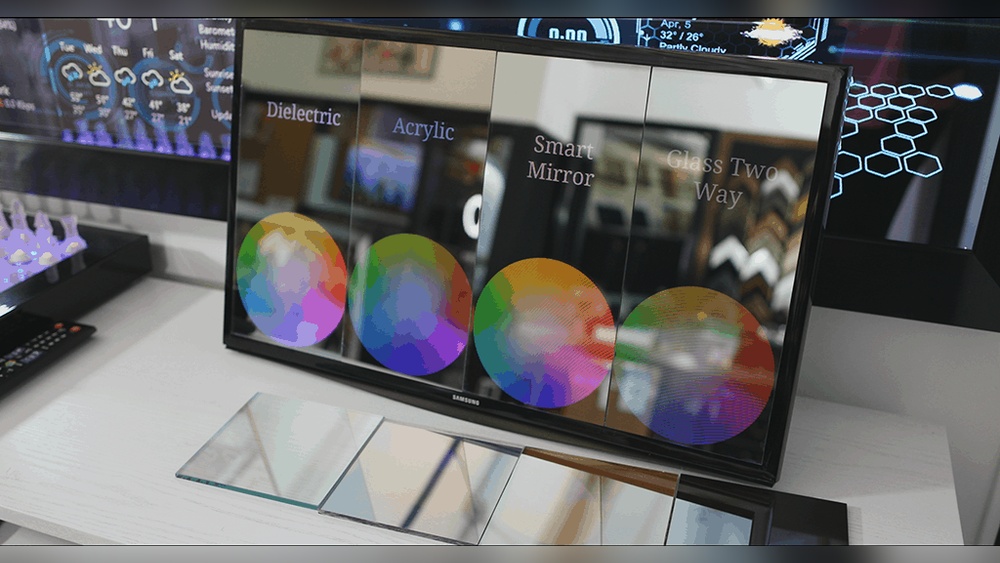
Look for key features before buying a kit. Check the display size and resolution. Consider the type of glass used for clarity. Think about the software and user interface. Does the kit support touch or voice control? Also, check for compatibility with your smart devices.
Budgeting For Your Project
Set a budget before starting your smart mirror project. Kits vary from low-cost to expensive. Include costs for tools, parts, and software. Factor in extra expenses like frames or sensors. A clear budget helps avoid surprises during the build.
Credit: forum.magicmirror.builders
Essential Tools And Materials
Building a smart mirror kit needs certain tools and materials. These parts help you create a mirror that shows useful information. Each part has a special job to make the mirror work well. Knowing what you need is the first step for a smooth build.
Hardware Components
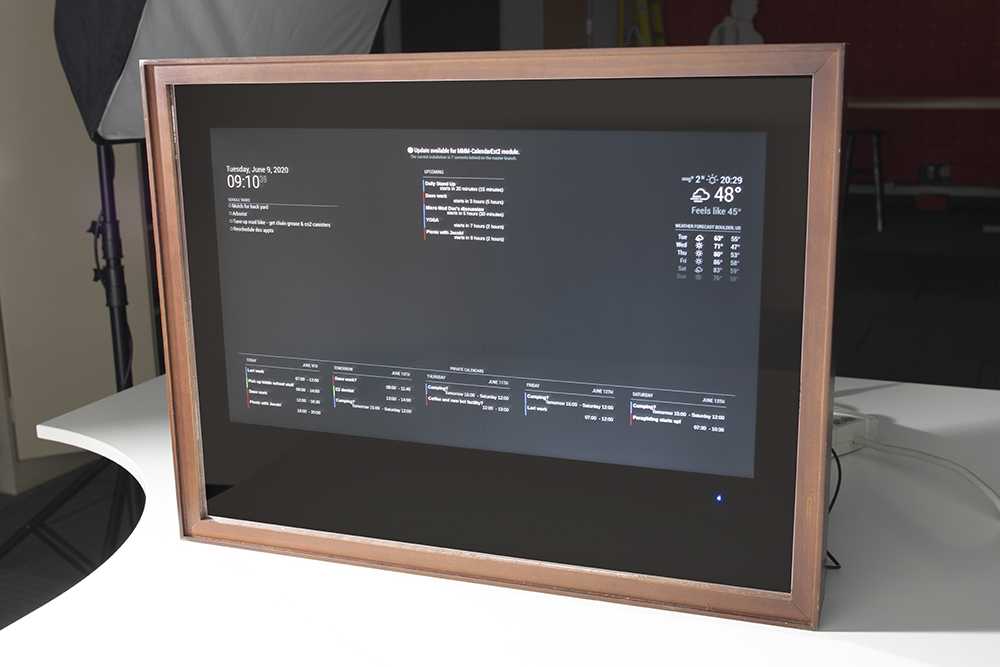
A smart mirror needs a two-way glass or acrylic sheet. This lets the screen show through the mirror. A monitor or screen displays the information behind the glass. A small computer, like a Raspberry Pi, runs the smart mirror software. Power supplies and cables connect all the parts. A frame holds everything in place and looks good on the wall.
Software Requirements
The smart mirror runs on simple software. Most use open-source systems like MagicMirror². This software shows time, weather, news, and more on the mirror. You need to install the software on the small computer. Basic coding skills help customize the display. Updates keep the software running smoothly and add new features.
Additional Accessories
Extra parts improve your smart mirror’s functions. Sensors can detect movement to turn the display on and off. A microphone allows voice commands for hands-free control. Speakers play sounds or alerts from the mirror. Some kits include a camera for video calls or security. These accessories make the mirror more useful and interactive.
Step-by-step Assembly Process
Building a smart mirror kit is a fun and rewarding project. The process breaks down into clear steps. Follow these steps carefully to assemble your smart mirror successfully.
Preparing The Frame And Glass
Start by choosing a sturdy frame. The frame holds the glass and display securely. Clean the glass to remove dust and fingerprints. Use a two-way mirror glass for the best effect. Carefully place the glass into the frame. Make sure it fits tightly without gaps. Secure the glass with clips or adhesive strips. Check that the surface is smooth and clean.
Installing The Display
Use an LCD or LED screen for the display. Remove any plastic covers from the screen. Place the screen behind the glass inside the frame. Align the screen so it is centered and flat. Attach the display with brackets or double-sided tape. Avoid pressing too hard on the screen. Ensure the screen faces the reflective side of the glass.
Connecting The Electronics
Gather all electronic components like the Raspberry Pi or similar board. Connect the display cable to the board. Attach the power supply to the board. Connect any sensors or cameras if included. Use cable ties to organize wires neatly. Double-check all connections before powering on. Make sure no wires are loose or exposed.
Configuring The Software
Install the smart mirror software on your board. Use an operating system like Raspbian or Linux. Download the mirror app or framework. Edit configuration files to customize widgets and settings. Connect the board to Wi-Fi for updates. Test the software to ensure everything works. Restart the device to apply new settings.
Credit: www.twowaymirrors.com
Customizing Your Smart Mirror
Customizing your smart mirror lets you make it truly yours. You can change how it looks and works. This makes using the mirror more fun and useful every day.
Adding Widgets And Apps
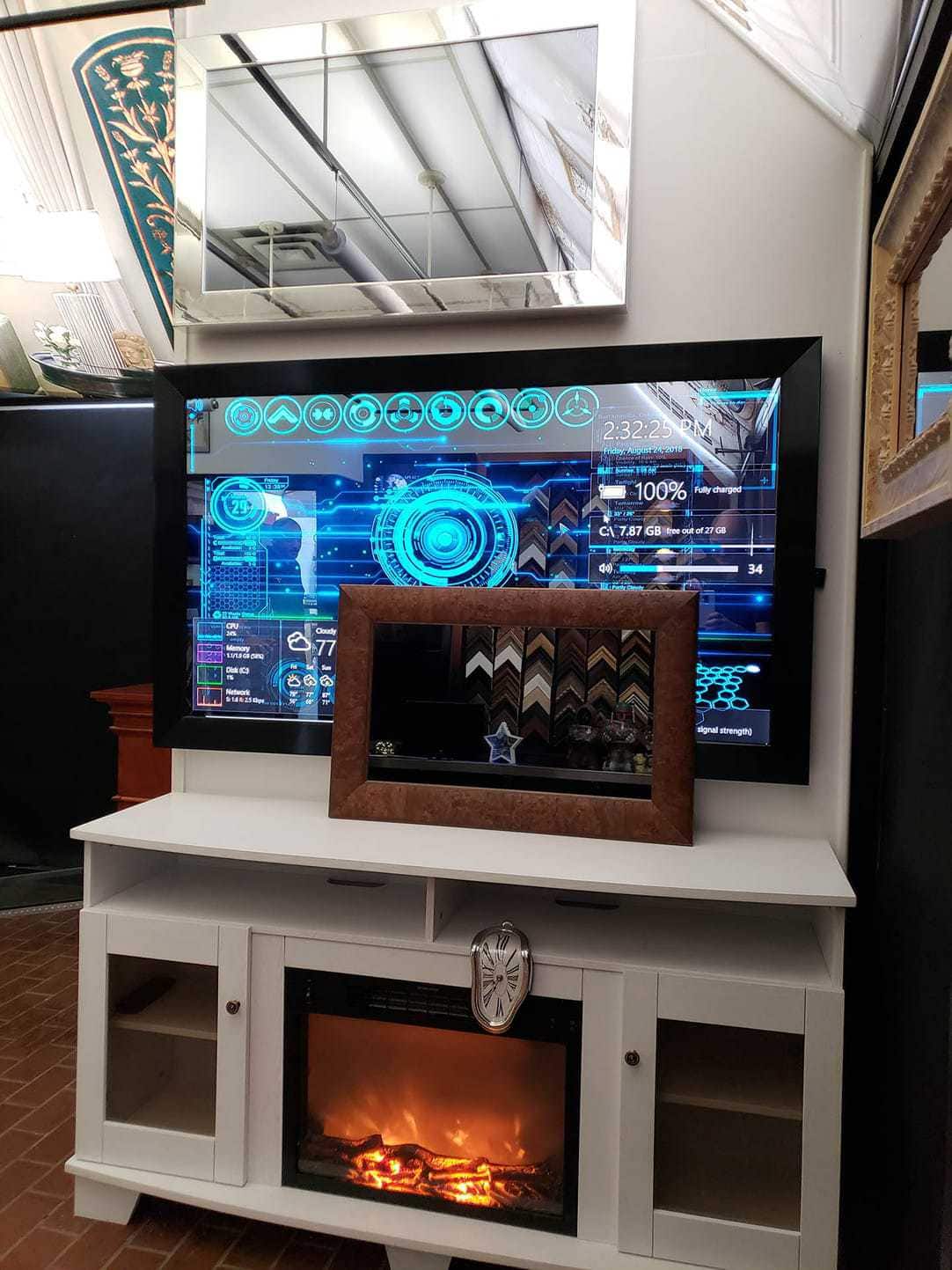
Widgets show useful information on your mirror screen. Weather, news, and calendar events are popular choices. Apps add extra features like music or to-do lists. Choose widgets that fit your daily needs. Many smart mirror kits support easy app installation. Update or remove widgets anytime to keep your mirror fresh.
Personalizing The Interface
Change the colors, fonts, and layout of your mirror display. Pick styles that match your room or mood. You can move items around to find the best setup. Simple designs help you see information clearly. Personalizing makes your smart mirror easier to use every day.
Voice Control Integration
Voice control lets you talk to your smart mirror. You can ask for weather updates or play music hands-free. Many kits support popular voice assistants like Alexa or Google. Set up voice commands to control apps and settings. This adds convenience and makes your mirror smarter.
Troubleshooting Common Issues
Troubleshooting common issues is a key step in building a smart mirror kit. Problems can slow down your progress or stop your mirror from working. Knowing how to fix these issues saves time and frustration. This section covers common problems and easy solutions. Follow the tips to keep your smart mirror running smoothly.
Display Problems
The display might stay black or show strange colors. Check the cable connections first. Loose or damaged cables cause most issues. Make sure the power supply is stable. A weak power source can cause flickering or no display. Adjust the screen brightness settings if the image is too dim. If the screen still does not work, try using another monitor or screen to test.
Connectivity Errors
Connectivity errors happen when your smart mirror cannot connect to Wi-Fi or other devices. Restart your router and smart mirror to reset connections. Check your Wi-Fi password for accuracy. Move the mirror closer to the router for a stronger signal. Disable any firewall or security settings that block connections. Update the network drivers or software for better compatibility.
Software Glitches
Software glitches cause the mirror to freeze or behave oddly. Restart the smart mirror to clear temporary bugs. Check for updates to the operating system and apps. Outdated software often causes crashes. Remove and reinstall any app that acts strange. Run a virus scan to rule out malware. Keep backup copies of your settings to restore if needed.
Maintenance Tips For Longevity
Keeping your smart mirror kit in good shape helps it last longer and work better. Regular care prevents problems and keeps the mirror looking new. Follow these simple maintenance tips to enjoy your smart mirror for years.
Cleaning And Care
Use a soft cloth to clean the mirror surface. Avoid harsh chemicals that can damage the glass or screen. A little water or a gentle glass cleaner works best. Clean the frame and sensors carefully to prevent dust build-up. Turn off the mirror before cleaning to avoid electrical issues.
Software Updates
Keep the mirror’s software up to date. Updates improve features and fix bugs. Check for updates regularly and install them quickly. Use a stable internet connection to avoid interruptions. Updated software helps the mirror run smoothly and securely.
Hardware Upgrades
Upgrade parts like the display or processor if needed. Newer components can improve speed and image quality. Make sure upgrades match your mirror’s specifications. Handle parts gently to avoid damage during installation. Upgrades extend your smart mirror’s life and add new functions.
Creative Ideas For Enhancements
Enhancing your smart mirror kit can make it more useful and fun. Small changes create big differences in how you use your mirror daily. Creative ideas bring new features to your smart mirror. They fit your lifestyle and improve your experience.
Smart Home Integration
Link your smart mirror with home devices for easy control. Show weather, lights, and security status on the screen. Use voice commands to adjust your thermostat or lights. Connect with smart speakers to get news or play music. This turns your mirror into a home command center.
Ambient Lighting Effects
Add LED lights behind the mirror for soft, colorful glows. Change light colors based on time of day or mood. Use light effects to wake up gently or relax at night. Sync lights with music or notifications for fun alerts. This makes your mirror both stylish and practical.
Health And Fitness Features
Track your daily steps and calories right on the mirror. Display workout routines or yoga poses during exercise. Show reminders for drinking water or taking breaks. Connect with fitness apps for better health tracking. Your mirror helps keep you motivated and healthy.
Credit: learn.sparkfun.com
Frequently Asked Questions
What Components Are Needed For A Smart Mirror Kit?
A smart mirror kit requires a two-way mirror, display screen, computer board (like Raspberry Pi), frame, and power supply. Optional sensors and software enhance functionality. These components work together to display information clearly behind the mirror surface.
How Do I Assemble A Smart Mirror Kit Step-by-step?
Start by mounting the display behind the two-way mirror. Secure the computer board and connect it to the display. Install the frame around the mirror. Finally, power on the device and configure the software for desired features.
What Software Is Best For Smart Mirror Kits?
Popular software includes MagicMirror², which is open-source and customizable. It supports modules like weather, news, and calendar. This software runs on Raspberry Pi and offers a user-friendly setup for beginners and advanced users alike.
Can I Customize The Smart Mirror Display Content?
Yes, you can customize content by adding or removing software modules. Most smart mirror platforms allow personalizing widgets like time, weather, news, and calendar. Custom coding is also possible for advanced features tailored to your needs.
Conclusion
Building a smart mirror kit is easier than it seems. Follow each step with care and patience. Choose the right parts to fit your needs. Test your mirror often to catch mistakes early. Enjoy the process of creating something useful and fun.
This project adds technology to your daily routine. Share your smart mirror with friends and family. Keep learning and improving your skills along the way. Your smart mirror will make your space smarter and more modern.