Is your smoke detector beeping nonstop or acting up for no clear reason? It can be frustrating and even stressful when your smoke alarm won’t stop sounding or won’t reset properly.
But don’t worry—you’re not alone, and fixing it is easier than you think. Knowing how to reset your smoke detector quickly can save you time, reduce anxiety, and keep your home safe. In this guide, you’ll discover simple, step-by-step ways to reset your smoke detector and get it working smoothly again.
Keep reading, and take control of your home’s safety today.

Credit: www.youtube.com
Reasons To Reset Your Smoke Detector
Resetting your smoke detector is important for safety and proper function. Your smoke detector may need a reset for several reasons. Knowing these reasons helps keep your home safe and your alarm working well.
Low Battery Alerts
Smoke detectors beep when batteries run low. This sound warns you to change batteries soon. After replacing the batteries, reset the smoke detector. Resetting stops the warning sound. It ensures the alarm works correctly with the new batteries.
False Alarms
Sometimes smoke detectors trigger false alarms. Dust or steam can cause this. A false alarm can be annoying and stressful. Resetting the smoke detector clears the false alarm. It helps the alarm return to normal and stay ready for real danger.
After Maintenance Or Cleaning
Cleaning your smoke detector removes dust and dirt. Maintenance may include checking batteries and parts. After these tasks, resetting the detector is smart. It confirms the alarm is fully functional. Resetting also clears any error signals caused by cleaning.

Credit: plcfire.com
Tools Needed For Resetting
Resetting a smoke detector needs a few simple tools. Having these ready makes the process quick and safe. You do not need many items, just basic supplies and some care.
Basic Supplies
You will need a small flathead screwdriver or a coin. This helps open the smoke detector cover. A fresh battery is important if your detector uses one. A ladder or step stool will help reach the detector safely. Keep a clean cloth nearby to wipe dust off the device.
Safety Precautions
Turn off power to the smoke detector before starting. Use a ladder carefully and ask for help if needed. Avoid using wet hands on electrical parts. Work in a well-lit area to see everything clearly. Always handle batteries with care and dispose of old ones properly.
Step-by-step Reset Process
Resetting your smoke detector is a simple task. It helps clear false alarms and ensures your safety. Follow this step-by-step process to reset your smoke detector correctly.
Turn Off Power
Start by turning off the power to the smoke detector. This prevents any electrical issues. Switch off the circuit breaker or remove the fuse connected to the alarm.
Remove The Detector
Next, carefully remove the smoke detector from its mounting base. Twist or unclip it gently. This step gives you access to the inside of the device.
Replace Or Check Batteries
Check the batteries inside the smoke detector. Replace old or weak batteries with fresh ones. Good batteries help the alarm work properly.
Press The Reset Button
Locate the reset button on the detector. Press and hold it for about 15 seconds. This clears any errors or false alarms stored in the device.
Reinstall The Detector
Put the smoke detector back onto its mounting base. Make sure it fits securely. A tight fit ensures the alarm stays in place and works well.
Restore Power
Finally, turn the power back on at the circuit breaker or fuse box. Check the smoke detector to see if it works properly. Your smoke detector is now reset and ready.
Testing Your Smoke Detector
Testing your smoke detector is a key step in home safety. It ensures the device works correctly and alerts you in case of fire. Regular testing helps catch problems early. It gives peace of mind that your detector will sound in an emergency.
Smoke detectors usually have a simple way to test them. Some methods use built-in tools, while others use smoke sources. Both ensure the alarm is sensitive and functional. Testing takes only a few minutes but can save lives.
Using The Test Button
Most smoke detectors have a test button on their face. Press and hold it for a few seconds. The alarm should sound loudly. This confirms the battery and speaker are working well.
Do not release the button too soon. A short press may not trigger the alarm. If the sound is weak or missing, replace the battery or the whole unit.
Smoke Test Methods
Some users prefer to test with real smoke. Light a match or candle near the detector. Blow it out and let smoke reach the sensor. The alarm should activate within seconds.
Use caution during this method. Keep flammable items away. Test in a well-ventilated area. Smoke tests check if the detector senses actual smoke particles properly.
Troubleshooting Common Issues
Troubleshooting common smoke detector issues helps keep your home safe. Problems like beeping or failure to reset can cause stress. Knowing how to fix these issues saves time and worry. Below are common problems and easy ways to solve them.
Persistent Beeping
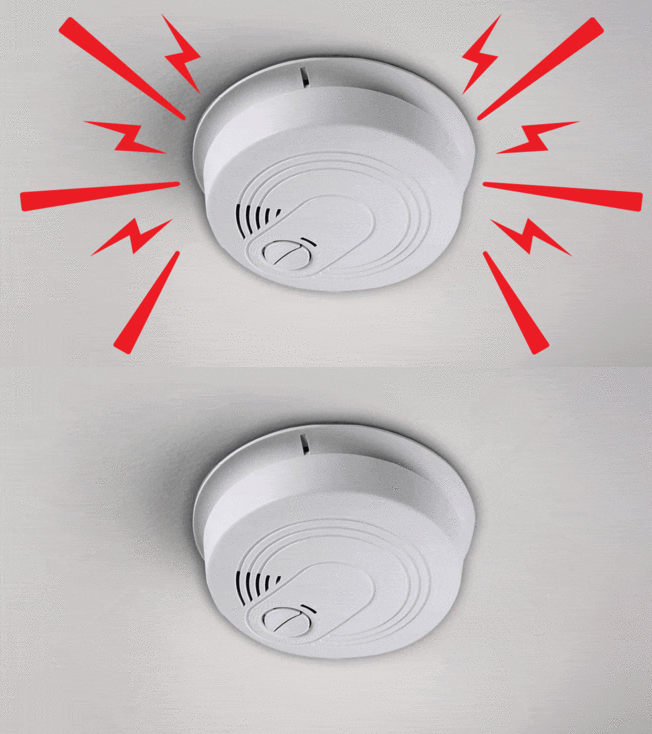
Persistent beeping often signals a low battery. Replace the battery with a new one to stop the noise. Dust or debris inside the detector can also cause beeping. Use a soft brush or vacuum to clean the unit carefully. Sometimes, the detector may need a full reset after battery change. Press and hold the reset button for 15 seconds to clear errors.
Detector Not Resetting
A smoke detector that won’t reset may have a dead battery. Remove the battery and test it with a battery tester. Replace it if needed. Check the power source if your detector is hardwired. Turn off the power at the breaker before inspecting. Press and hold the reset button firmly for several seconds. If the problem continues, try disconnecting the detector and reconnecting it.
Interference And Placement Problems
Smoke detectors need proper placement to work well. Avoid installing near kitchens or bathrooms to reduce false alarms. Steam, smoke, or dust can trigger false beeps. Keep detectors away from vents and fans that blow air. Electrical interference from other devices can affect detector signals. Move other electronics farther away if possible. Correct placement ensures reliable alerts and fewer false warnings.
Credit: www.consumerreports.org
Maintenance Tips To Avoid Frequent Resets
Smoke detectors need care to work well and avoid frequent resets. Proper maintenance saves time and keeps your home safe. Simple steps can stop false alarms and reset problems.
Regular Cleaning
Dust and dirt can block smoke sensors. Clean your smoke detector once a month. Use a soft brush or vacuum on low power. Avoid harsh cleaners that can damage the device. Keep vents clear to let smoke enter easily.
Battery Replacement Schedule
Dead or weak batteries cause constant beeping and resets. Change batteries at least once a year. Use the battery type your detector needs. Test batteries every few months to avoid surprises. A fresh battery keeps the detector alert.
Proper Installation Practices
Place detectors on ceilings or high walls. Avoid kitchens or bathrooms to reduce false alarms from steam or cooking smoke. Keep detectors away from windows and vents to prevent drafts. Install detectors in every bedroom and hallway for full coverage.
Frequently Asked Questions
How Do I Reset A Smoke Detector After Battery Change?
To reset, remove the battery first. Press and hold the test button for 15-20 seconds. Reinsert the battery, then test the alarm.
Why Is My Smoke Detector Beeping After Reset?
A beeping smoke detector usually means low battery or dust. Clean the unit and replace the battery if needed to stop beeping.
Can I Reset A Smoke Detector Without Removing It?
Yes, press and hold the reset or test button on the detector for 15-20 seconds to reset it.
How Often Should I Reset My Smoke Detector?
Reset your smoke detector after every battery replacement or false alarm. Regular resetting ensures proper functionality and safety.
Conclusion
Resetting a smoke detector is simple and quick. Always check the battery first. Press the reset button to stop false alarms. Keep your detector clean and test it often. This keeps your home safe and sound. Knowing how to reset helps avoid worry.
Stay alert and protect your family every day. A working smoke detector can save lives. Don’t ignore the warning signs or beep sounds. Taking small steps ensures peace of mind. Safety starts with a well-maintained smoke alarm.