
Imagine standing in front of your door, ready to enter, but unsure how to unlock your new smart door lock. It can feel confusing and frustrating when technology doesn’t work the way you expect.
But what if unlocking your door was simple, quick, and stress-free every time? You’ll discover clear, step-by-step instructions to open your smart door lock with ease. Whether it’s your first time or you need a refresher, you’ll gain the confidence to unlock your door smoothly—no more fumbling or guessing.
Keep reading to make your smart lock work for you, every single time.
Credit: helmihasan.medium.com
Types Of Smart Door Locks
Smart door locks offer various ways to secure your home without traditional keys. They use technology to make entry easier and safer. Different types suit different needs and preferences. Understanding these types helps you choose the right lock.
Keypad Locks
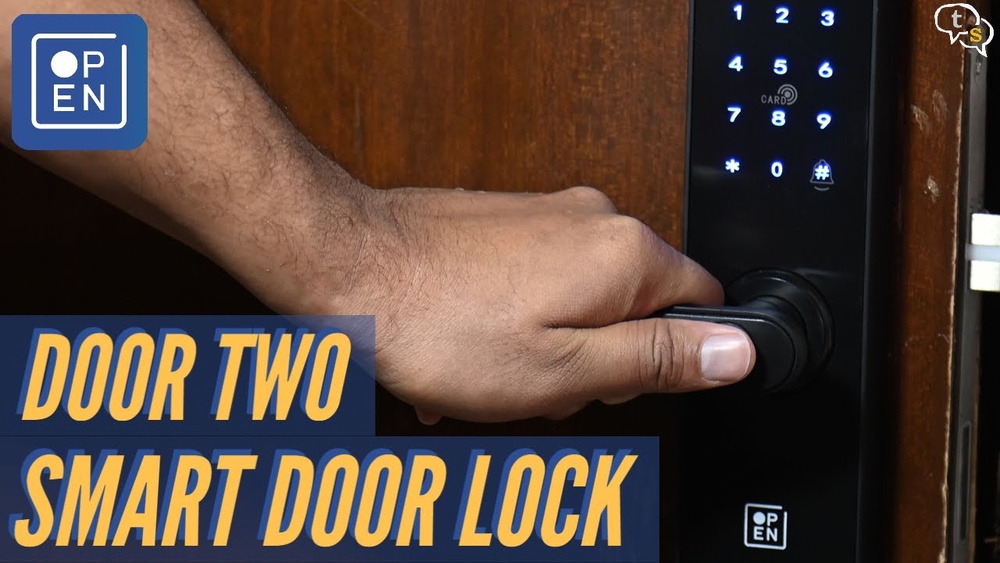
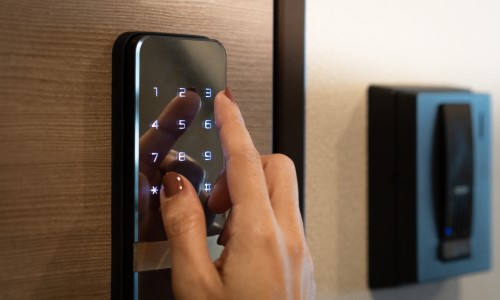
Keypad locks let you enter a code to open the door. You type numbers on a small screen. No need to carry keys or worry about losing them. Codes can change anytime for better security. Some models allow temporary codes for guests.
Fingerprint Locks
Fingerprint locks use your fingerprint to unlock the door. Your unique print acts as the key. It is fast and hard to copy. These locks store several fingerprints for family or friends. They are useful for people who prefer biometrics.
Bluetooth And Wi-fi Locks
Bluetooth and Wi-Fi locks connect to your phone or internet. You control the lock using an app. Some let you open the door remotely. Notifications alert you when someone enters. These locks offer convenience and modern control.
Biometric Locks
Biometric locks scan unique body features like eyes or face. They provide high security and quick access. These locks are less common but very reliable. Ideal for those who want advanced protection without keys.
Preparing To Unlock Your Smart Lock
Preparing to unlock your smart lock helps avoid delays and problems. Smart locks need a few checks before use. This saves time and keeps your entry smooth. Simple steps can make a big difference. Follow these tips to get ready.
Checking Battery Levels
Smart locks run on batteries. Low battery can stop the lock from working. Check the battery level often. Replace batteries if they are weak. Use fresh batteries for best results. This keeps your lock ready to open anytime.
Ensuring Network Connectivity
Many smart locks connect to Wi-Fi or Bluetooth. Good connection helps the lock work fast. Check your phone’s connection before unlocking. Move closer if the signal is weak. A strong connection avoids errors during unlocking.
Using The Backup Key
Smart locks usually come with a backup key. Keep it safe for emergencies. Use the backup key if the lock fails. It works without batteries or internet. This key is your last option to enter safely.
Unlocking Methods Step-by-step
Smart door locks offer various ways to open your door easily. Each method is designed for quick and secure access. Follow these simple steps for each unlocking method.
Using A Mobile App
First, download the lock’s official app on your phone. Open the app and connect it to your smart lock via Bluetooth or Wi-Fi. Select the unlock option from the app’s main screen. Your door will unlock instantly. Some apps also show battery status and lock history.
Entering A Passcode
Locate the keypad on your smart lock. Enter your unique passcode carefully. Press the “Enter” or “Unlock” button. Wait for a green light or a beep sound. The door will open. Change your passcode regularly for safety.
Using Biometric Verification
Place your registered finger or hand on the scanner. Hold still until the sensor reads your print. A light or sound confirms a match. The door unlocks quickly. Keep the sensor clean for best results.
Remote Unlocking Options
Use your phone or a connected device to unlock from anywhere. Open the app or web portal linked to your lock. Find the remote unlock button and tap it. The lock responds and opens your door. This is useful if someone needs access while you are away.

Credit: www.airtasker.com
Troubleshooting Common Issues
Smart door locks offer convenience and security but can face some common issues. Troubleshooting these problems helps keep your lock working smoothly. This section covers simple fixes anyone can try at home.
Dealing With Dead Batteries
Dead batteries are a frequent cause of smart lock failure. Replace batteries as soon as you notice slow response or no power. Use high-quality batteries for longer life. Many locks have a low battery warning. Keep spare batteries nearby for quick replacement.
Resetting The Lock
Resetting your smart lock can fix software glitches. Follow the manufacturer’s instructions carefully to avoid errors. A reset clears previous settings and restores factory defaults. You will need to set up the lock again after resetting. This step often solves connection and access issues.
Connectivity Problems
Smart locks rely on Wi-Fi or Bluetooth to work. Check your internet or device connection first. Move closer to the router or phone to improve signal strength. Restart your router or smart device if connection drops. Ensure your lock’s firmware is up to date for best performance.
Lock Jam And Mechanical Failures
Physical jams can stop the lock from turning or opening. Check for dirt or debris blocking the mechanism. Lubricate moving parts with a suitable oil to reduce friction. Avoid forcing the lock, which can cause more damage. If the problem persists, contact a professional locksmith for repair.
Maintaining Your Smart Lock
Maintaining your smart lock is important for smooth and secure operation. Simple care helps the lock last longer and keeps it working well. Regular attention prevents problems and improves safety.
Regular Firmware Updates
Smart locks use software to work. This software needs updates to fix bugs and improve security. Check your lock’s app often for updates. Install them as soon as they are available. Updated firmware stops hackers from exploiting old weaknesses.
Cleaning And Care Tips
Keep the lock clean from dust and dirt. Use a soft, dry cloth for cleaning. Avoid water or harsh chemicals that can damage the lock. Check the battery regularly and replace it before it dies. This prevents lockouts and keeps the lock responsive.
Security Best Practices
Change your lock’s access codes regularly. Use strong, unique codes instead of simple numbers. Limit who can access the lock through the app. Turn on notifications to know when someone opens the door. These steps protect your home from unwanted entry.
Enhancing Home Security
Enhancing home security is a key benefit of smart door locks. These locks offer more than just remote access. They provide tools to keep your home safer and give you peace of mind. Smart locks connect with other devices and allow you to control who enters your home.
Smart locks let you monitor your door in real time. You can receive alerts and set temporary codes. These features help you manage access easily and securely. Let’s explore how to use these functions to improve your home security.
Integrating With Smart Home Systems
Smart door locks work with many home automation systems. They connect to devices like smart lights, cameras, and alarms. When the door is locked or unlocked, other devices can react automatically. For example, lights can turn on when you enter. This integration creates a safer environment around your home.
Setting Up Alerts And Notifications
Alerts keep you informed about your door’s status. You can receive notifications on your phone. These messages tell you if the door is opened or left unlocked. You can also get alerts for failed attempts to open the lock. This helps you act quickly if there is suspicious activity.
Using Temporary Access Codes
Temporary codes allow limited entry to guests or workers. You can create codes that expire after a set time. This avoids giving permanent access to people you don’t fully trust. These codes are easy to manage and help maintain control over your home security.
Credit: simpled.uk
Frequently Asked Questions
How Do I Open A Smart Door Lock Without A Key?
You can open a smart door lock using a mobile app, keypad code, fingerprint, or Bluetooth connection. Each lock model offers different methods. Always check the lock’s manual for specific instructions to ensure proper access without a physical key.
Can I Open A Smart Door Lock Remotely?
Yes, many smart door locks allow remote access via a smartphone app. This feature requires Wi-Fi or cellular connectivity. It lets you unlock your door from anywhere, enhancing convenience and security. Always use strong passwords for remote control apps.
What Should I Do If My Smart Lock Battery Dies?
If the battery dies, most smart locks have a backup keyhole or external power option. Replace the batteries promptly to avoid lockouts. Check your lock’s manual to find the emergency power method and battery replacement instructions.
Is It Safe To Open Smart Door Locks With Bluetooth?
Opening smart locks via Bluetooth is generally safe if encrypted properly. Use locks from reputable brands with strong security protocols. Avoid connecting on public or unsecured networks to minimize hacking risks and protect your home’s security.
Conclusion
Opening a smart door lock is easier than it seems. Follow the steps carefully and stay calm. Using a code, fingerprint, or app makes access quick and safe. Practice helps you get comfortable with the process. Keep your device charged and updated for best results.
Remember, smart locks add convenience and security to your home. Try these tips, and you will feel more confident every day. Simple tools, clear steps—no stress needed.