
Moving to a new home is exciting, but transferring your smart door lock to the new homeowner can feel tricky. You want to make sure your lock is secure and ready for them to use without any hassle.
If you’re wondering how to do this easily and safely, you’re in the right place. Keep reading, and you’ll discover simple steps to hand over your smart lock with confidence—protecting your privacy and giving the new owner peace of mind.
Let’s get started!
Prepare The Lock For Transfer
Preparing your smart door lock for transfer is an important step before handing it over to the new homeowner. It ensures the lock works properly and keeps the new user’s information safe. Taking time to prepare the lock helps avoid confusion or security problems later.
This process starts by clearing old settings and getting all tools and documents ready. These steps make the transfer smooth and stress-free for both parties.
Reset The Lock To Factory Settings
Resetting the lock erases all previous codes and user data. This protects your privacy and lets the new owner set their own codes. Most smart locks have a reset button or a specific reset process. Check the lock’s manual for exact instructions. Follow these carefully to restore the lock to original factory settings. This step is key to a safe transfer.
Gather Necessary Tools And Documents
Collect all tools needed for the lock’s removal or setup. This may include screwdrivers, batteries, or special keys. Also, find the user manual and warranty information. These documents help the new owner understand how the lock works. Providing these items makes the transfer easier and helps the new homeowner manage the lock confidently.

Credit: lockly.com
Update Access Codes
Updating access codes is a key step when transferring a smart door lock to a new homeowner. It keeps the home secure and prevents old users from entering. Changing these codes ensures only authorized people have access. This process is quick and easy with most smart locks.
Delete Old Codes
Start by removing all old access codes from the lock system. Old codes may still allow previous owners or guests to enter. Deleting them wipes away any risk of unwanted access. Check your lock’s app or keypad manual for instructions. Usually, you can delete codes one by one or reset the entire list. Do this before adding new codes.
Create New User Codes
Next, create new access codes for the new homeowner and trusted users. Choose codes that are easy to remember but hard to guess. Avoid simple sequences like “1234” or birthdays. Most smart locks allow setting multiple user codes. Assign unique codes to each person for better control. Store these codes safely and share them only with trusted individuals.
Sync With New Owner’s Devices
Syncing the smart door lock with the new owner’s devices is an essential step. This process lets the new owner control the lock from their phone or tablet. It also helps keep the home secure by managing who can enter.
Start by connecting the lock to the new owner’s Wi-Fi or Bluetooth. This connection allows the lock to communicate with the owner’s devices smoothly. Without this step, the lock cannot be controlled remotely or send alerts.
Connect To Wi-fi Or Bluetooth
First, check if the smart lock supports Wi-Fi or Bluetooth. Most modern locks support both. Turn on the lock’s pairing mode. Usually, a button on the lock activates it.
Next, open the phone’s Wi-Fi or Bluetooth settings. Find the lock’s name in the list of available devices. Tap to connect. Wait for confirmation that the lock is paired. This step links the lock to the new owner’s device directly.
Download And Set Up The Lock App
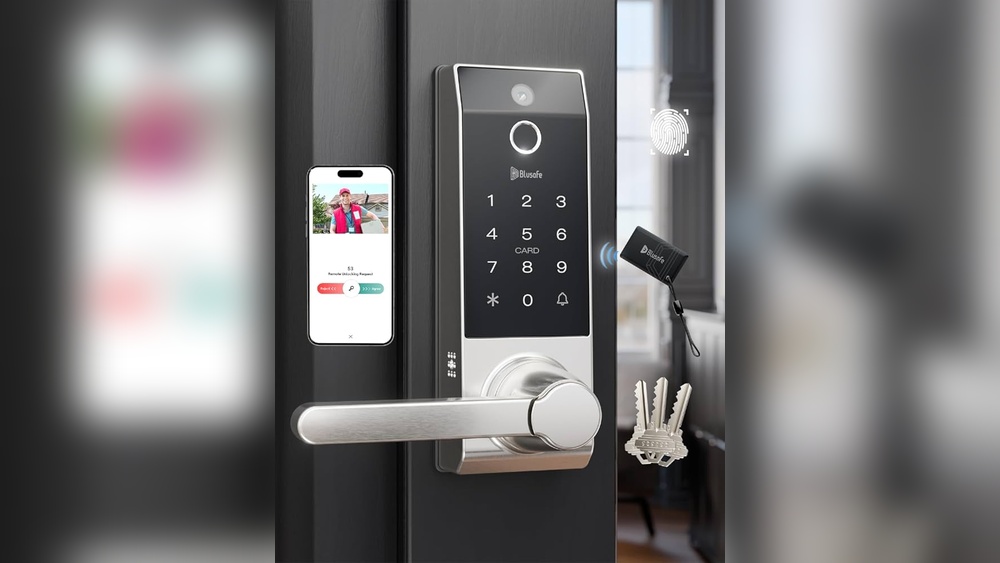
The lock app controls the smart door lock. Download the app from the App Store or Google Play. Open the app and create a new account if needed. Follow the on-screen instructions to add the lock.
Enter any required codes or scan QR codes on the lock. Set preferences like user access and notifications. This setup helps the new owner manage the lock easily. The app also allows adding or removing users quickly.

Credit: www.lowes.com
Test Lock Functionality
Testing the lock functionality is a key step when transferring a smart door lock. It ensures the new homeowner can use the lock without issues. This process confirms all parts work correctly and safely. Taking time to check the lock prevents future troubles.
Check Manual Lock And Unlock
Start by testing the manual lock and unlock functions. Use the physical key or thumb turn to lock and unlock the door. Make sure the lock moves smoothly and catches properly. Try locking and unlocking several times to confirm consistent performance. Check if the door closes tightly without resistance. This step guarantees the basic mechanical parts work well.
Verify Remote Access Features
Next, test the remote access features through the app or keypad. Ensure the lock responds quickly to commands from a phone or control panel. Try locking and unlocking remotely from different locations. Check if notifications or alerts arrive correctly on the device. Confirm the battery level shows accurately on the app. This testing verifies the smart functions operate without errors or delays.
Provide Usage Instructions
Providing clear usage instructions helps the new homeowner use the smart door lock with ease. It makes their transition smoother and reduces confusion. Simple guidance ensures they understand how to operate and maintain the lock properly.
Giving the right information also helps avoid common mistakes. It saves time spent on calls or visits for support. A well-informed user feels confident and secure with the smart lock.
Share User Manuals And Support Links
Always give the new owner the original user manual. Digital copies work well too. Manuals explain how to set up, use, and maintain the lock. They also include safety tips and warranty details.
Include links to official support websites. These sites offer FAQs, video guides, and software updates. The new owner can find help anytime without hassle.
Explain Basic Troubleshooting
Teach simple troubleshooting steps for common issues. For example, how to reset the lock or replace batteries. Explain what to do if the lock does not respond or connect.
Knowing basic fixes helps the user solve problems quickly. It avoids frustration and keeps the lock working well. Encourage the new owner to contact support if problems persist.

Credit: www.amazon.com
Secure The Transfer Process
Securing the transfer process of your smart door lock is crucial. It protects your privacy and avoids future access issues. Follow clear steps to make the handover smooth and safe.
Confirm Ownership Change In App
Start by opening the smart lock app on your phone. Find the option to transfer ownership or share access. Confirm the new homeowner’s details carefully. This step makes sure the lock recognizes the new owner.
Check for any confirmation messages or emails. The app may ask both parties to approve the change. This double confirmation keeps the process secure.
Remove Your Account And Data
After confirming the new owner, delete your account from the lock. Remove all personal data stored in the app. This prevents any future access or notifications for you.
Reset the lock if needed. This action clears old settings and codes. It ensures the new homeowner starts fresh and safe with their smart lock.
Frequently Asked Questions
How Do I Reset My Smart Door Lock For A New Owner?
To reset your smart door lock, consult the user manual for specific steps. Usually, a factory reset erases old codes and settings. This ensures the new homeowner can program their own access codes securely and easily.
Can I Transfer Smart Lock Access Remotely?
Yes, many smart locks support remote access transfer. Use the lock’s app to remove your access and add the new owner’s credentials. This method is secure and convenient for both parties during ownership change.
What Information Should I Provide The New Homeowner?
Give the new owner the lock’s user manual, app login details, and any backup keys. Also, share instructions for adding or deleting user codes and performing resets to ensure smooth use.
Is It Necessary To Update Firmware Before Transferring?
Updating firmware is recommended before transfer. It fixes bugs and improves security features. This helps protect the new homeowner from vulnerabilities and ensures optimal lock performance.
Conclusion
Transferring a smart door lock to a new homeowner is simple. Start by resetting the lock to clear old settings. Share the new access codes or app details with the buyer. Make sure they test the lock before moving in.
This helps avoid any access problems later. Taking these steps keeps the home secure and the process smooth. A little care now saves time and stress later. Keep instructions clear and easy to follow for the new owner. Safe and easy handover—done right!