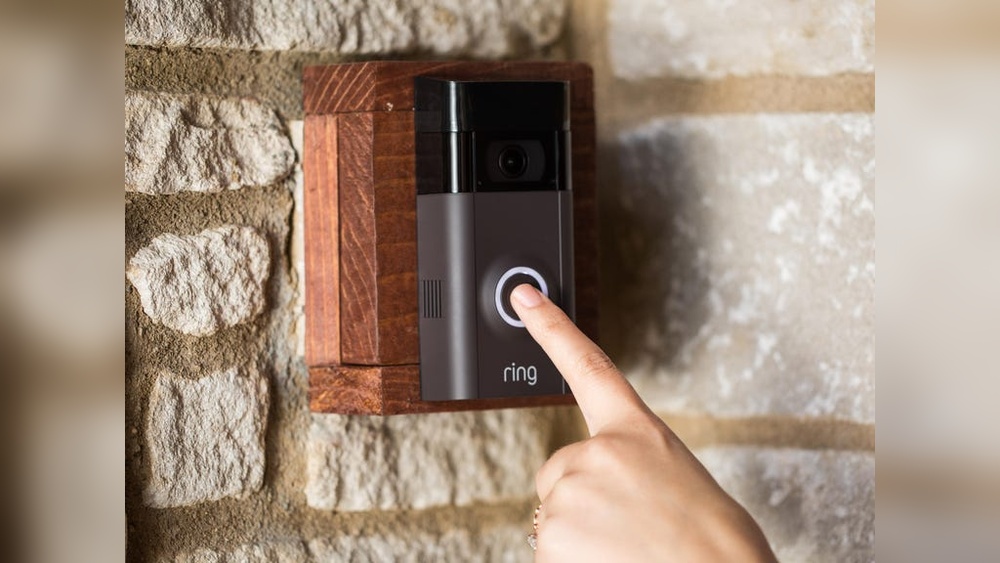

If you own a Ring 2 Doorbell, you know how important it is to keep a record of your home’s security. But what if you want to save those videos to your device for easy access or sharing?
Downloading your Ring 2 Doorbell video is easier than you think, and it puts you in control of your home’s safety footage. In this guide, you’ll discover simple steps to download your videos quickly and without hassle. Ready to take charge of your security recordings?
Let’s get started.
Credit: garinfobahn.com
Accessing Ring 2 App
Accessing the Ring 2 app is the first step to download your doorbell videos. The app lets you view, save, and manage your recordings easily. It works on both smartphones and tablets, making it simple to keep an eye on your home.
Before you can download videos, you need to have the app installed and be logged into your account. These steps help connect your device to your Ring doorbell securely.
Installing The App
Go to the App Store or Google Play Store on your device. Search for the “Ring” app. Tap the install button to download it. Wait a few moments for the app to install fully. After installation, open the app to start setup.
Logging Into Your Account
Enter your email address linked to your Ring account. Type your password carefully. Tap the login button to enter the app. If you do not have an account, create one by following the on-screen instructions. Once logged in, you can access your Ring 2 doorbell videos.
Navigating To Video History
Finding your Ring 2 Doorbell video history is simple and quick. This section guides you through the steps to access and review past recordings. You can easily browse your recorded events and choose the video you want to download.
Opening Event Timeline
Start by opening the Ring app on your phone or tablet. Tap the menu icon and select “History” or “Event History.” This opens a timeline showing all recent activities recorded by your doorbell. Scroll through the timeline to see snapshots of each event. The timeline helps you spot the right video fast.
Selecting Desired Video
Look for the video clip that matches the date and time you want. Tap the video thumbnail to open it. Play the video to check if it is the correct one. Once confirmed, you can download or save the video for future use. This step ensures you get the exact footage you need.
Downloading Video Footage
Downloading video footage from your Ring 2 Doorbell helps keep important moments safe. You can save clips for later review or share them with others. The process is simple and does not take much time.
Follow clear steps to download videos directly from the Ring app. This lets you access the footage anytime on your device. No extra tools or software needed.
Using The Download Option
Open the Ring app and find the video you want to save. Tap on the video to open it fully. Look for the download icon, usually a downward arrow. Tap the icon to start downloading the video. The app saves the file in your phone’s storage. Make sure your internet connection is stable during the download. The video will be ready in a few seconds to minutes.
Saving To Device
After downloading, the video saves automatically to your device’s gallery or file manager. You can view it without opening the Ring app. Rename the file for easier searching later. Share the video through email or messaging apps if needed. Keep enough space on your device for saving videos. This method works for both Android and iOS devices.

Credit: en-uk.ring.com
Alternative Download Methods
There are other ways to download Ring 2 Doorbell videos besides the app. These methods can help if the app is not working or if you want to save videos directly on your computer. Exploring these options gives you more control over your video files.
Using Ring Web Portal
You can download videos using the Ring web portal. Visit ring.com and sign in with your account. Go to the “History” section where your videos are stored. Select the video you want to download. Click the download button to save it to your device. This method works well on computers and laptops.
Third-party Tools
Some third-party tools help download Ring videos. These tools connect to your Ring account securely. They can download multiple videos at once. Always check if the tool is safe and trustworthy. Use these tools carefully to protect your privacy and data.
Troubleshooting Download Issues
Downloading videos from your Ring 2 Doorbell should be simple. Sometimes, problems occur during the download process. These issues can stop you from saving your important videos. Understanding common errors helps fix these problems quickly.
Below are frequent errors and easy tips to solve them. These steps improve your chances of a smooth download experience.
Common Errors
One frequent error is slow or failed downloads. This often happens due to a weak internet connection. Another issue is the app freezing or closing unexpectedly during download. Sometimes, the video file may appear corrupted or incomplete. Users may also face trouble signing into the Ring app, blocking access to videos. Lastly, storage space limits on your device can prevent downloads from completing.
Fixes And Tips
First, check your internet connection. Use Wi-Fi with a strong signal or switch to a better network. Restart your phone or device to clear temporary glitches. Update the Ring app to the latest version for better performance. Clear cache and data from the app to remove corrupted files. Ensure your device has enough free storage before starting downloads. Try downloading videos during off-peak hours to avoid traffic issues. Log out and log back into your Ring account to reset access. If problems continue, contact Ring support for specific help.

Credit: www.youtube.com
Managing Storage And Backup
Managing storage and backup is essential for keeping your Ring 2 Doorbell videos safe and easy to find. Saving videos without organizing them can lead to confusion and lost footage. Proper storage helps you access old videos quickly and protects important moments from deletion.
Choosing the right backup method ensures your videos remain secure even if your device fails. It also frees up space on your phone or computer. Let’s explore practical ways to organize and store your saved Ring videos.
Organizing Saved Videos
Start by creating folders for different types of videos. For example, separate folders for motion alerts, visitors, and package deliveries work well. Name each folder clearly to find videos fast.
Use dates in file names to keep videos in order. This way, you can track events over time without confusion. Delete duplicate or unwanted videos regularly to save space.
Backing up important videos on your computer or external drive adds extra security. This simple habit prevents losing footage if your app data gets deleted.
Cloud Storage Options
Cloud storage offers a safe place to keep your Ring videos online. Services like Google Drive, Dropbox, or OneDrive provide easy access anywhere.
Upload videos after downloading them from the Ring app. Organize them in folders just like on your device. This keeps everything neat and easy to find.
Cloud storage protects your videos from device loss or damage. Many services offer free storage with options to upgrade for more space. Choose a plan that fits your needs and budget.
Frequently Asked Questions
How Can I Download Ring 2 Doorbell Videos?
Open the Ring app, select your device, tap on “History,” and choose the video. Then, tap the download icon to save it to your device.
Is It Possible To Save Ring 2 Videos To My Phone?
Yes, you can save videos directly to your phone using the Ring app’s download feature in the event history section.
Do I Need A Subscription To Download Ring 2 Videos?
Yes, a Ring Protect subscription is required to access and download recorded videos from your Ring 2 doorbell.
Can I Download Ring 2 Videos On My Computer?
Yes, log into your Ring account on a computer browser, access the video history, and download videos from there.
Conclusion
Downloading Ring 2 doorbell videos is simple and helpful. You can save important clips for future use. Just follow the steps carefully and stay safe online. Keep your videos organized for easy access later. This guide helps you keep track of your doorbell footage.
Stay aware of your home’s security with saved videos. Try these tips to manage your Ring 2 videos better. Simple actions can make your experience smoother and safer.