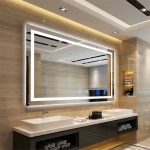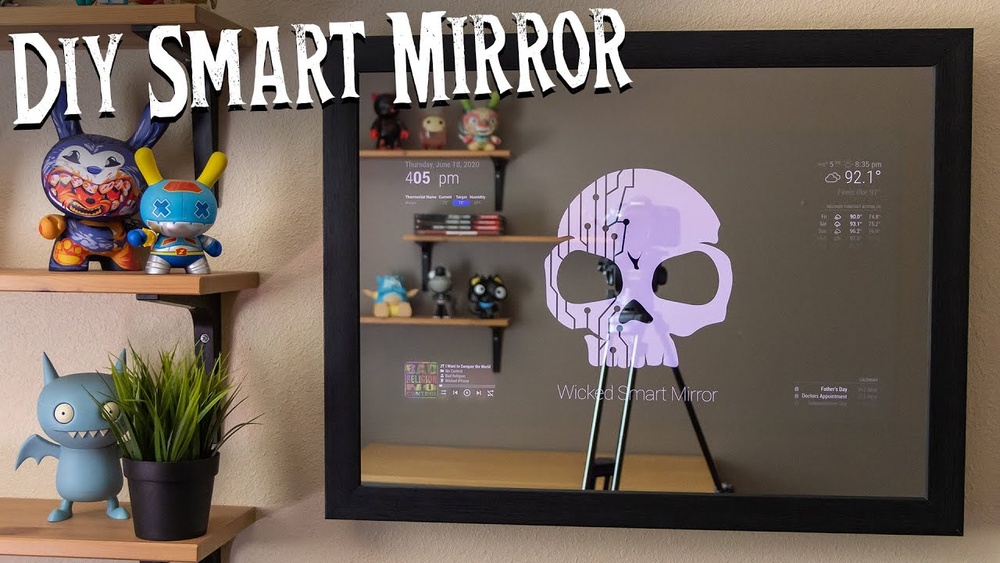

Imagine starting your day with a mirror that not only shows your reflection but also displays the weather, news, and your calendar—all in one glance. Building your own DIY smart mirror might sound complicated, but it’s easier than you think.
In this guide, you’ll learn simple steps to create a smart mirror that fits your style and needs. Ready to add a touch of magic to your daily routine? Keep reading, and by the end, you’ll have the confidence and know-how to build your very own smart mirror.
Choosing The Right Materials
Choosing the right materials is key to making a smart mirror that looks great and works well. Each part must fit together perfectly. The mirror, display, and tools all affect the final result. Picking quality items makes the project easier and the mirror more durable.
Focus on parts that suit your space and needs. The right materials help create a smart mirror that is both functional and stylish. Let’s break down the main components to choose.
Selecting The Mirror
Choose a two-way mirror for the best effect. This type lets light pass through from the back. It shows the display without hiding the reflection. Acrylic mirrors are lighter and safer but can scratch. Glass mirrors give a clear reflection and last longer. Pick a size that fits your wall and display. Make sure the mirror is clean and smooth.
Picking The Display
Use an LCD or LED screen behind the mirror. Size the display to match the mirror’s viewable area. A monitor with HDMI input works well. Smaller screens save space but show less information. Higher brightness helps the display stay visible in bright rooms. Choose a screen with good resolution for clear text and images. Test the display before fixing it behind the mirror.
Essential Tools And Components
Gather tools like a screwdriver, drill, and wire cutters. You will need a microcomputer like Raspberry Pi to run the smart features. Get power adapters and cables to connect the parts. Use double-sided tape or mounting brackets to fix components. Collect sensors for temperature, motion, or light if you want extra features. Keep everything organized to avoid damage during assembly.
Preparing The Mirror Frame
Preparing the mirror frame is an important step in making a DIY smart mirror. The frame holds the mirror and electronics in place. It needs to be strong and fit the mirror perfectly. A well-prepared frame makes the final product look neat and professional.
Measuring And Cutting
Start by measuring the size of your mirror carefully. Use a tape measure to get exact dimensions. Mark the measurements on the wood or material for the frame. Use a saw to cut the pieces to the correct size. Cut slowly to keep edges straight and smooth.
Assembling The Frame
Arrange the cut pieces in the shape of the frame. Check that all corners meet at right angles. Use wood glue or screws to join the pieces. Let the glue dry completely if you use it. This step creates a solid structure for your mirror.
Securing The Mirror
Place the mirror inside the frame carefully. Use clips or brackets to hold the mirror tight. Make sure the mirror sits flat and does not move. Avoid pressing too hard to prevent cracks. This keeps the mirror safe and stable in the frame.
Setting Up The Display
Setting up the display is a key step in making your DIY smart mirror work well. The display shows the information you want, like time, weather, or news. Getting it right helps your smart mirror look clear and function smoothly.
Installing The Screen
Choose a screen that fits your mirror size. A flat LCD or LED screen works best. Remove the screen’s frame if possible. This helps the screen sit closer to the mirror. Use double-sided tape or brackets to secure the screen firmly. Make sure the screen faces outward through the glass.
Connecting To Power
Use a power adapter that matches your screen’s voltage. Connect the screen’s power cable to the adapter. Hide the cables behind the mirror frame to keep it neat. Test the screen by turning it on before final assembly. Ensure the screen lights up without flickers or issues.
Positioning Behind The Mirror
Place the screen directly behind the two-way mirror. Center it so the display looks balanced. Leave some space for ventilation to avoid overheating. Use foam or soft padding to protect the screen and glass. Check the screen’s visibility through the mirror before sealing everything.

Credit: www.edn.com
Installing The Software
Installing the software is an important step in building your DIY smart mirror. This step brings your mirror to life by showing useful information like time, weather, and news. It requires choosing the right operating system, installing the smart mirror software, and setting up widgets. Each part helps your mirror work smoothly and fit your needs.
Choosing The Operating System
Pick an operating system that works well with smart mirror software. Raspberry Pi OS is a popular choice for DIY projects. It is lightweight and easy to use. It supports most smart mirror applications and has a large community for help. Windows and Linux are other options but may need more setup.
Installing Smart Mirror Software
After choosing the OS, install the smart mirror software. MagicMirror² is a common and free option. It runs on Raspberry Pi and other platforms. Use simple commands in the terminal or command prompt to download and install the software. Follow the official guide carefully for best results.
Configuring Widgets And Modules
Widgets show information on your smart mirror screen. Modules are small apps that display things like weather, calendar, or news. Customize these by editing the configuration file. Add or remove modules based on what you want. Make sure to save changes and restart the software to see updates.
Adding Voice Control
Adding voice control to your DIY smart mirror makes it more interactive and hands-free. It lets you ask questions, control features, and get updates without touching the mirror. Voice control improves user experience and brings your smart mirror to life.
Selecting A Voice Assistant
Choose a voice assistant that fits your needs. Popular options include Google Assistant, Amazon Alexa, and Mycroft. Each has different features, language support, and ease of integration. Pick one with good online guides and community support for easier setup.
Integrating Microphone And Speakers
Your smart mirror needs a clear microphone to hear commands. Use a USB or Bluetooth microphone with noise cancellation if possible. Add small speakers or connect to external ones for clear responses. Place these parts where sound can travel easily without blocking the display.
Setting Up Voice Commands
Program your voice assistant to understand simple commands. Start with basic tasks like checking the weather, setting reminders, or playing music. Use tools provided by the assistant to customize commands. Test commands often to ensure they work well with your mirror.
Final Assembly And Testing
The final assembly and testing phase brings your DIY smart mirror to life. This step ensures all parts fit well and work as planned. Taking time here saves future problems.
Check each component carefully. Secure connections prevent loose parts and damage. Testing helps find issues before full use. Follow clear steps for a smooth finish.
Securing Components
Start by fixing the display firmly inside the frame. Use screws or adhesive tape to hold it steady. Attach the Raspberry Pi or computer behind the mirror. Make sure wires are neat and not pinched.
Mount sensors and controls in their spots. They must be easy to reach and well supported. Double-check all fasteners and clips. A tight assembly keeps the mirror safe and durable.
Testing Display And Controls
Power on the device to test the screen. Look for clear images without flicker or distortion. Touchscreen or voice controls should respond quickly. Run any software or apps you installed.
Check brightness and contrast settings. Adjust as needed for best visibility. Confirm sensors detect motion or gestures correctly. Smooth operation means your smart mirror is ready.
Troubleshooting Common Issues
If the display stays blank, check power cables first. Loose connections cause most screen problems. Restart the system if it freezes or lags. Update software to fix bugs and improve performance.
Controls that don’t respond may need recalibration. Clean sensors and touch areas gently. Look for error messages and search online for fixes. Patience and careful checks solve most problems.
Customization And Enhancements
Customization and enhancements make your DIY smart mirror unique and useful. They let you add features that fit your daily needs. You can choose what information shows up and how it looks. This section covers easy ways to improve your smart mirror.
Adding Weather And News Feeds
Show current weather to plan your day better. Use free APIs to get live weather updates. Add news headlines from trusted sources. Keep the information simple and clear. This helps you stay informed without extra effort.
Incorporating Smart Home Integration
Connect your smart mirror to other devices at home. Control lights, thermostat, or speakers with voice commands. Use platforms like Google Home or Amazon Alexa. This creates a smooth, connected experience. It makes your daily routine easier and hands-free.
Personalizing Appearance And Features
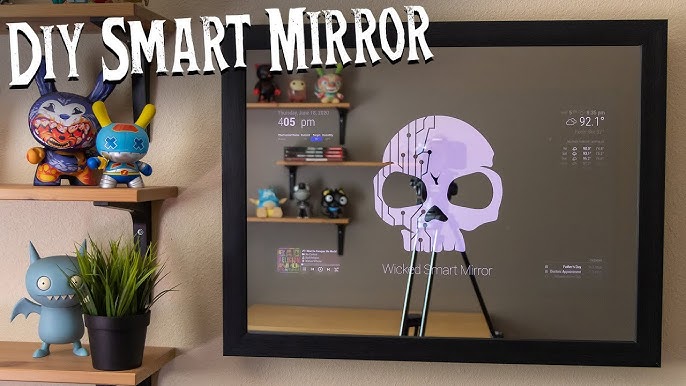
Choose fonts, colors, and layouts that you like. Adjust brightness for day and night use. Add widgets like calendar, clock, or reminders. Make the mirror fit your style and needs. Small changes improve both look and function.

Credit: www.instructables.com
Credit: www.youtube.com
Frequently Asked Questions
What Materials Are Needed For A Diy Smart Mirror?
You need a two-way mirror, a monitor or tablet, a frame, and a Raspberry Pi. Basic tools include a screwdriver and adhesive tape. Software like MagicMirror² helps run the smart display features efficiently.
How Do I Install Software On A Smart Mirror?
Install the MagicMirror² software on a Raspberry Pi. Use terminal commands to download and configure modules. Follow setup guides for customization and to enable features like weather and news updates.
Can I Customize The Smart Mirror Display?
Yes, you can customize widgets like clock, weather, calendar, and news. MagicMirror² allows adding modules or creating your own. Customization enhances usability and makes the mirror fit your style and needs.
How Long Does Building A Diy Smart Mirror Take?
Building typically takes 4 to 8 hours depending on your skill level. Assembly and software setup may vary based on hardware and customization. Planning ahead speeds up the process and avoids common issues.
Conclusion
Building a DIY smart mirror is fun and rewarding. You learn new skills and create something useful. Start with simple steps and take your time. Add features that suit your daily needs. This project fits well in any home or office.
Enjoy the process and the final product. Your smart mirror will make mornings easier. Give it a try and see the results yourself.