
Is your smoke detector constantly beeping and driving you crazy? That annoying sound can make it hard to focus, sleep, or even relax in your own home.
But don’t worry—you don’t have to call a professional right away or replace the entire unit. You’ll discover simple, step-by-step solutions to stop your smoke detector from beeping for good. Keep reading, and you’ll learn exactly what to do to bring peace and quiet back to your space.

Credit: www.angi.com
Common Causes Of Beeping
Smoke detectors beep to alert you of a problem. This sound helps keep your home safe. Knowing the common reasons for beeping saves time and worry. The cause may be simple to fix.
Low Battery
The most common cause is a low battery. Smoke detectors beep to warn you the battery is weak. Replace the battery with a fresh one. Use the type the manufacturer recommends. This often stops the beeping immediately.
Dust And Dirt
Dust can build up inside the detector. Dirt blocks the sensor and causes false beeps. Clean the detector gently with a soft brush or vacuum. Make sure no dust remains. This can restore normal function quickly.
Electrical Issues
Hardwired smoke detectors rely on home electricity. Loose wires or power problems cause beeping. Check the connections and circuit breakers. If unsure, call a professional electrician. Fixing electrical issues stops the noise and ensures safety.
End Of Life Warning
Smoke detectors have a lifespan of about 8 to 10 years. After this, they beep to signal replacement time. Check the manufacture date on the back. Replace the unit if it is old. New detectors work better and keep you safer.

Credit: www.angi.com
Tools You’ll Need
Fixing a beeping smoke detector is easier with the right tools. Having these tools ready saves time and makes the process smooth. Use simple tools that you can find at home or buy cheaply.
Screwdriver
A screwdriver is key to open the smoke detector cover. Most detectors use screws to hold the cover. A flathead or Phillips screwdriver works for most models. Use the right size to avoid stripping screws.
Replacement Batteries
Smoke detectors beep when batteries run low. Keep fresh batteries of the correct type on hand. Most use AA or 9-volt batteries. Check the old battery label for the right size. Replace batteries even if the beep is occasional.
Cleaning Supplies
Dust and dirt cause false alarms and beeping. Use a soft brush or canned air to clean the detector. A dry cloth can wipe the outside gently. Avoid wet cleaners or sprays inside the unit.
Step-by-step Fixes
Fixing a beeping smoke detector is simple with clear steps. Follow these easy instructions to stop the noise fast. Each step targets common causes of beeping. Try them one by one for best results.
Replacing The Battery
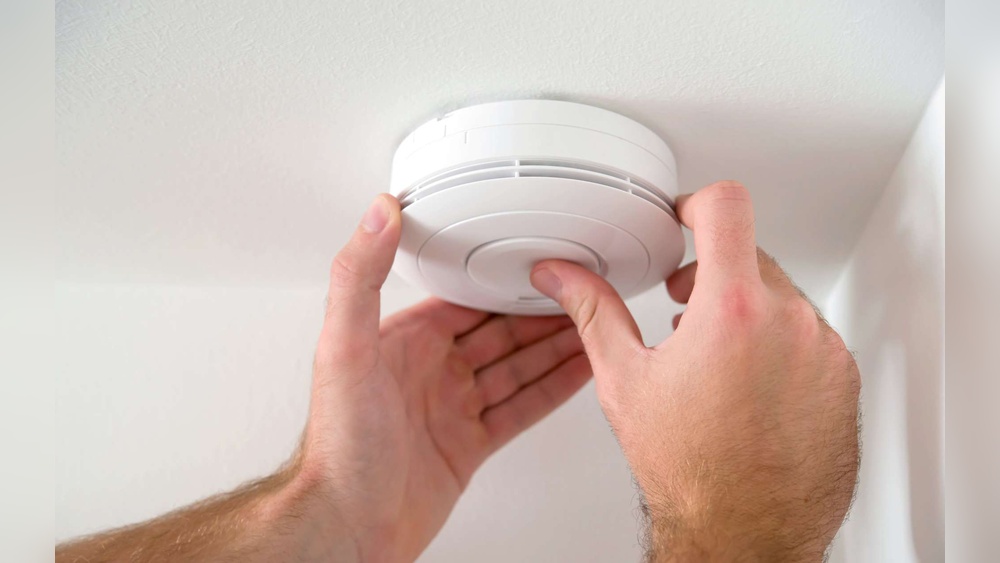
First, check the battery inside the smoke detector. Open the cover and remove the old battery. Use a fresh battery that fits your model. Insert the new battery carefully. Close the cover and listen for the beep. This often solves the problem quickly.
Cleaning The Detector
Dust and dirt can cause false alarms and beeping. Use a vacuum cleaner or soft brush to clean the detector. Remove dust from vents and the sensor area. Avoid using water or cleaning sprays. Clean detectors work better and beep less.
Resetting The Smoke Detector
Resetting can stop the beeping if the detector has an error. Press and hold the test button for 15 seconds. Release the button and wait for the beep to stop. This resets the device and clears minor faults.
Inspecting Wiring And Connections
For wired smoke detectors, check the wiring carefully. Turn off power before touching wires. Look for loose or damaged connections. Tighten loose wires and replace damaged ones. Secure wiring keeps the detector working well and silent.
Preventing Future Beeps
Preventing your smoke detector from beeping unexpectedly is important for peace and safety. Regular care and smart choices keep your device working well. This section covers simple steps to stop annoying beeps before they start.
Regular Maintenance
Clean your smoke detector every month. Dust and dirt can cause false alarms and beeps. Use a soft brush or vacuum near the sensor area. Test the alarm once a month by pressing the test button. Replace the detector every 10 years to ensure reliability.
Choosing The Right Batteries
Use batteries recommended by the smoke detector’s manufacturer. Avoid cheap or old batteries. Change batteries at least once a year, even if the alarm does not beep. Keep spare batteries handy to avoid delays in replacement.
Proper Installation Tips
Install smoke detectors on the ceiling or high on a wall. Avoid placing them near windows, fans, or vents. These locations can cause airflow that triggers false alarms. Place detectors in every bedroom and on every floor for complete coverage.
When To Replace Your Smoke Detector
Smoke detectors do not last forever. Knowing when to replace them keeps your home safe. Old detectors may not work well and can beep often. Replacing them at the right time avoids false alarms and ensures protection.
Signs Of Aging
Look for yellowing plastic or cracks on the detector’s surface. Dust or dirt buildup can make it beep too. The detector may beep even after changing batteries. These signs mean it is time to get a new one. Smoke detectors usually last about 10 years.
Manufacturer Recommendations
Check the label on your smoke detector. It shows the manufacturing date and expiry year. Follow the manufacturer’s advice to replace it on time. Some models may have different lifespans. Always use a new detector that meets safety standards.

Credit: waynealarm.com
Frequently Asked Questions
Why Does My Smoke Detector Keep Beeping?
Your smoke detector beeps due to low battery, dust buildup, or sensor malfunction. Regularly check and replace batteries. Clean the detector gently to remove dust. If it still beeps, consider replacing the unit to ensure safety.
How Do I Stop A Smoke Detector From Beeping?
To stop beeping, replace the battery first. Clean the detector with a soft brush. Reset the device by pressing the test button. If it continues, inspect for wiring issues or replace the detector.
Can A Smoke Detector Beep Without Smoke?
Yes, smoke detectors beep without smoke due to low batteries, dust, or sensor errors. Regular maintenance prevents false alarms. Always check the battery status and clean the unit to avoid unnecessary beeping.
How Often Should I Replace Smoke Detector Batteries?
Replace smoke detector batteries at least once a year. Some models require battery changes every six months. Regular replacement ensures reliable operation and prevents annoying low-battery beeps.
Conclusion
Fixing a beeping smoke detector is simple with a few clear steps. Check the battery and replace it if needed. Clean the detector to remove dust and dirt. Reset the device to stop false alarms. Always test your smoke detector after fixing it.
Staying safe at home starts with a quiet, working alarm. Keep your family protected by maintaining your smoke detector regularly. Small efforts can prevent big problems. Stay alert and act quickly to stop beeping noises.