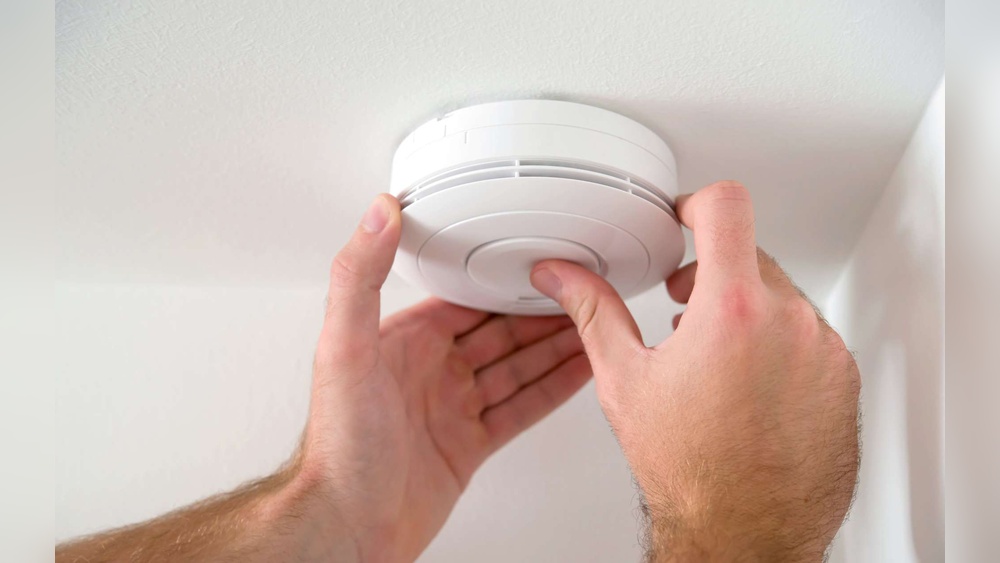

Is your smoke detector beeping nonstop and driving you crazy? That annoying sound isn’t just a nuisance—it’s your smoke detector’s way of telling you something needs attention.
Ignoring it can put your safety at risk, but fixing it is easier than you think. In this guide, you’ll learn simple steps to stop the beeping quickly and keep your home safe. Keep reading, and you’ll never be caught off guard by that persistent alarm again.
Common Causes Of Beeping
Beeping smoke detectors can be annoying and worrying. Understanding why your smoke detector beeps helps fix the problem quickly. Several common causes lead to the beeping sound. Knowing these helps keep your home safe and your detector working well.
Low Battery
The most common cause of beeping is a low battery. Smoke detectors need fresh batteries to work properly. When the battery runs low, the detector beeps to warn you. Changing the battery usually stops the noise.
Dust And Dirt
Dust and dirt can block the smoke detector sensors. This blockage causes false alarms or beeping sounds. Cleaning the detector gently with a soft brush or vacuum can fix this. Regular cleaning keeps the detector working well.
Electrical Issues
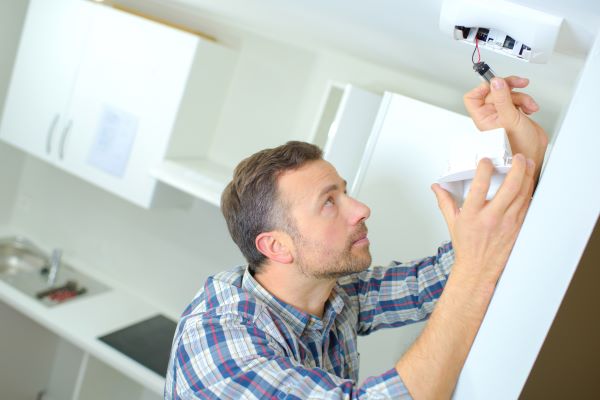
Hardwired smoke detectors connect to your home’s electrical system. Loose wires or power problems can cause beeping. Check the connections carefully or call an electrician. Fixing electrical issues stops the beeping and ensures safety.
End Of Life Signal
Smoke detectors have a limited life span, usually 8 to 10 years. After this, the detector beeps to signal it needs replacement. This warning helps you know when to buy a new detector. Replacing old detectors keeps your home protected.
Credit: blog.koorsen.com
Safety Precautions
Beeping smoke detectors warn you about possible dangers. Always turn off power before fixing it. Keep a ladder steady and work carefully to avoid accidents.
Turn Off Power
Always switch off the power before fixing the smoke detector. This prevents electric shocks and accidents. Locate the circuit breaker and turn off the power to the smoke detector’s area. Double-check to ensure no current is flowing. Safety first.
Use Proper Tools
Use the right tools for the job. A screwdriver, ladder, and new batteries may be needed. Avoid makeshift tools that could damage the detector or hurt you. Proper tools make the task easier and safer. Keep tools within reach before you start.
Follow Manufacturer Guidelines
Read the user manual carefully before any repair. Each smoke detector has specific instructions. Following these guidelines ensures safe and correct fixes. Do not guess or skip steps. The manufacturer’s advice protects you and keeps the detector working well.
Replacing The Battery
Beeping smoke detectors often signal a low battery. Replacing the battery is a simple task. It can stop the beeping and keep your home safe. Follow these steps to change the battery correctly.
Choosing The Right Battery
Check the smoke detector’s manual or label. Most use 9-volt batteries. Some models require AA or AAA batteries. Use fresh batteries from a reliable brand. Avoid old or cheap batteries. They may fail quickly and cause more beeping.
Step-by-step Replacement
Start by turning off the alarm. Remove the detector from the ceiling or wall. Open the battery compartment carefully. Take out the old battery. Insert the new battery with the correct polarity. Close the compartment securely. Reattach the detector to its place. This stops the beeping immediately.
Resetting The Detector
After replacing the battery, reset the smoke detector. Press and hold the test button for 15 seconds. This clears any error signals. Release the button and listen. The detector should stop beeping. Test the alarm by pressing the button again. A loud sound means the detector works well.
Cleaning The Detector
Cleaning the smoke detector helps stop annoying beeping sounds. Dust and dirt can block sensors. This causes the detector to beep even when there is no smoke. Keeping it clean ensures the detector works well and lasts longer.
Removing Dust And Debris
Turn off the power to the smoke detector first. Use a soft brush or cloth to wipe the surface. Gently clean around the vents and sensor area. Avoid using water or harsh chemicals. Dust and debris often collect here and cause false alarms.
Using Compressed Air
Compressed air helps remove dust from hard-to-reach spots. Hold the can upright and spray short bursts around the detector. Focus on the vents and sensor openings. This clears out dirt without damaging the device. Use this method every few months for best results.
Regular Maintenance Tips
Clean your smoke detector at least twice a year. Replace batteries regularly to avoid low-battery beeps. Test the alarm monthly to ensure it works properly. Keep the area around the detector free from dust and insects. Regular care keeps your home safe and quiet.
Fixing Electrical Problems
Fixing electrical problems in a beeping smoke detector often resolves the issue. Electrical faults can cause false alarms or continuous beeping. Understanding basic electrical checks can help you fix the problem safely.
Checking Wiring Connections
Loose or damaged wires can trigger a smoke detector beep. Turn off the power before inspecting the wiring. Look for any frayed or disconnected wires inside the detector. Secure all connections tightly. Replace wires that show signs of damage. Proper wiring ensures steady power and stops beeping.
Inspecting Power Supply
Smoke detectors need a stable power supply to work correctly. Check if the detector is properly connected to the house’s electrical system. For battery-powered units, replace old batteries with fresh ones. Hardwired detectors may have a backup battery that needs changing. A weak or interrupted power supply causes beeping sounds.
When To Call A Professional
Electrical work can be dangerous without proper knowledge. Call a licensed electrician if you find complex wiring issues. Seek help if the detector still beeps after basic checks. Professionals ensure safe repairs and prevent future problems. Never ignore repeated beeping signals; it might indicate serious electrical faults.
Replacing The Smoke Detector
Replacing a smoke detector is essential when it starts beeping persistently. The device may be old or faulty. A new detector ensures your home stays safe from fire hazards. Knowing when and how to replace it is important for every homeowner.
Signs It’s Time To Replace
Smoke detectors do not last forever. Most models work well for about 10 years. If your detector beeps often, even after changing batteries, it may be time to replace it. Physical damage, such as cracks or corrosion, also signals replacement. A detector that fails a test should not be ignored.
Choosing A New Detector
Pick a smoke detector that fits your needs. Look for devices with a long battery life or hardwired models for constant power. Photoelectric detectors work better for slow, smoldering fires. Ionization detectors respond faster to fast flames. Some models combine both types. Check for certification marks to ensure safety standards.
Installation Tips
Install your smoke detector on the ceiling or high on the wall. Avoid areas near kitchens or bathrooms to reduce false alarms. Place detectors in every bedroom and outside sleeping areas. Test the detector once installed to confirm it works. Replace batteries yearly or as recommended by the manufacturer.
Preventing Future Beeping
Stopping a smoke detector from beeping again is easier than fixing it each time. Small habits keep your detector working well. These habits also save you from annoying sounds.
Preventing future beeping starts with simple checks and care. These steps help keep your home safe. Your smoke detector will alert you only when needed.
Regular Testing
Test your smoke detector once a month. Press the test button until you hear a loud beep. This check ensures the alarm works well. If no sound comes, replace the battery or the device.
Scheduled Maintenance
Clean your detector every six months. Dust and dirt cause false alarms. Use a soft brush or vacuum gently. Keep vents and sensors clear. This care extends the detector’s life.
Battery Replacement Routine
Change batteries yearly, even if the alarm is quiet. Old batteries cause low power beeping. Use fresh, quality batteries each time. Keep a reminder on your calendar for this task.

Credit: www.wirechiefelectric.com

Credit: waynealarm.com
Frequently Asked Questions
Why Is My Smoke Detector Beeping Continuously?
Continuous beeping usually means the battery is low or faulty. Replace the battery first. If it still beeps, clean the detector to remove dust. Persistent beeping may indicate a malfunction, so consider replacing the smoke detector.
How Do I Stop A Smoke Detector From Beeping?
To stop beeping, replace the battery with a new one. Press the test button after replacement. Clean the smoke detector to remove dust or insects. Reset the detector by turning off power if beeping continues.
What Causes A Smoke Detector To Beep Intermittently?
Intermittent beeping often signals a low battery or dust buildup. Check and replace the battery. Clean the detector’s sensor area. If problems persist, the smoke detector may need replacement or professional inspection.
Can Humidity Or Steam Cause Smoke Detector Beeping?
Yes, high humidity or steam can trigger false alarms or beeping. Avoid installing detectors near bathrooms or kitchens. Use a smoke detector designed to resist humidity in such areas to reduce false beeps.
Conclusion
A beeping smoke detector needs quick attention to keep you safe. Check the battery first; it often solves the problem. Clean the detector to remove dust that may cause false alarms. Replace old detectors after 10 years for best performance.
Regular checks help avoid surprises and keep your home secure. Stay calm and follow these simple steps to fix the beeping. Your safety matters, so don’t ignore those sounds.