
Have you ever wondered what happens the moment someone presses your video doorbell? Understanding how a video doorbell works can change the way you protect your home and connect with visitors.
Imagine seeing who’s at your door, even when you’re not there, or getting instant alerts on your phone the second someone approaches. You’ll discover the simple technology behind video doorbells and why they are becoming a must-have for every home.
Keep reading to find out how this smart device can give you peace of mind and make your daily life easier.

Credit: www.aboutamazon.com
Video Doorbell Basics
Video doorbells add security and convenience to homes. They let you see and speak to visitors remotely. Understanding how they work helps you choose the right one for your home. The basics of a video doorbell include its parts and how it connects to your devices.
Core Components
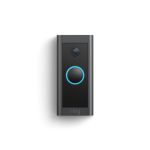
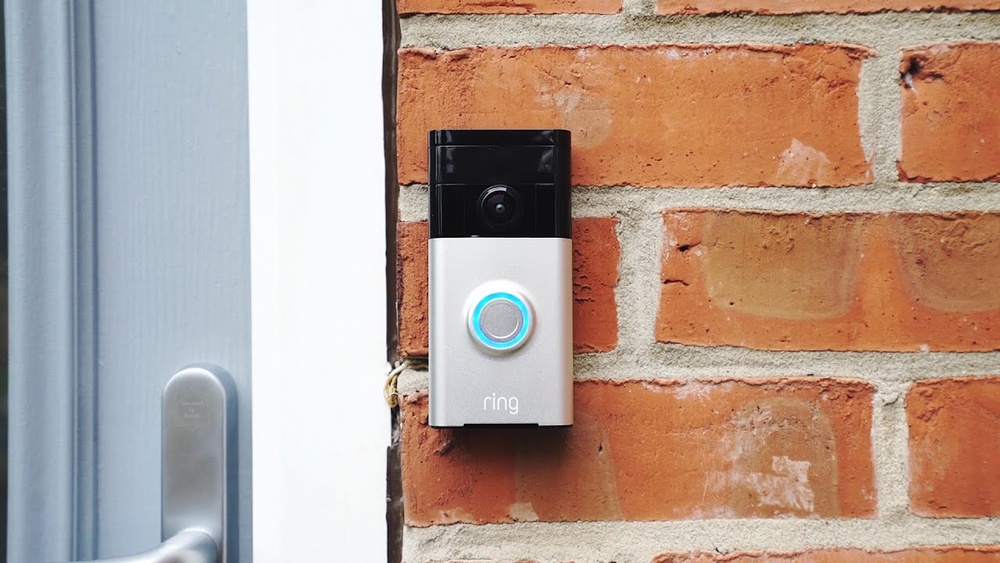
A video doorbell has several key parts. The camera records video of visitors. A microphone and speaker allow two-way talk. Motion sensors detect movement near the door. The button lets visitors ring the bell. All these components work together to keep you informed.
How It Connects
Video doorbells connect to your home Wi-Fi network. This link sends video and audio to your phone or tablet. The doorbell uses an app to show live or recorded footage. Some models connect to existing doorbell wiring for power. Others use batteries for easier installation.
Motion Detection Features
Motion detection is a key feature of video doorbells. It helps capture activity at your doorstep. This feature alerts you to visitors or any movement near your door. It works by sensing changes in the environment and starts recording or sending notifications. Motion detection makes your home safer and more connected.
Types Of Sensors
Video doorbells use different types of sensors to detect motion. Passive Infrared (PIR) sensors sense body heat from people or animals. They work well in low light and save battery life. Ultrasonic sensors send sound waves and measure their bounce back. They detect moving objects by changes in sound waves. Some models use both types for better accuracy.
Customizing Alerts
You can adjust motion detection settings to fit your needs. Set activity zones to focus on certain areas. This stops alerts from passing cars or trees. Adjust sensitivity to reduce false alarms or catch small movements. Choose how you receive alerts—through your phone, email, or smart home devices. Custom alerts help you stay informed without being overwhelmed.
Two-way Communication
Two-way communication is a key feature of modern video doorbells. It lets you speak and listen through the doorbell using your smartphone or other devices. This feature helps you talk to visitors without opening the door. It adds a layer of security and convenience to your home.
Audio Technology
Video doorbells use microphones and speakers to enable two-way audio. The microphone picks up sound from outside your door. The speaker plays your voice for the visitor to hear. Advanced noise cancellation ensures clear conversations. Some models adjust volume automatically for better sound quality. This technology lets you communicate easily, even in noisy areas.
Privacy Considerations
Two-way communication raises privacy concerns. Always check the doorbell’s privacy settings. You can control who can access audio and video feeds. Some devices encrypt conversations to protect your data. Inform visitors that they may be recorded. Being aware of privacy helps you use the doorbell safely and confidently.
Integration With Smart Home
Video doorbells become more useful when they connect with other smart home devices. Integration helps you control your home better. It allows different gadgets to work together smoothly. This makes your daily routines easier and your home safer.
Compatible Devices
Most video doorbells work with popular smart home systems. They connect easily with devices like smart speakers, lights, and security cameras. For example, linking with smart speakers lets you hear visitors without going to the door. Some doorbells also sync with smart locks. This helps you open doors remotely. Compatibility varies, so check your device’s list before buying.
Automation Possibilities
Automation lets your smart home act without your direct input. Your video doorbell can trigger actions automatically. It might turn on porch lights when someone rings the bell. Or send alerts to your phone if it detects motion. You can set routines like locking doors at night after no one answers the bell. These automations save time and improve security. They make your home feel more alive and responsive.
Installation Process
Installing a video doorbell is a simple process that anyone can handle. It involves choosing the right type of setup and placing the device correctly. This ensures your doorbell works well and captures clear video footage. Understanding the installation steps helps you avoid common mistakes and enjoy your device faster.
Wired Vs Wireless Setup
Wired video doorbells connect to your home’s existing doorbell wiring. This provides constant power without the need to recharge. Installation requires turning off the power, attaching wires, and securing the device on the wall.
Wireless doorbells run on batteries and connect through Wi-Fi. Installation is easier since no wiring is needed. You just mount the doorbell and sync it with your phone app. Battery life varies, so occasional charging is necessary.
Placement Tips
Mount the doorbell near your main entrance, about 4 feet from the ground. This height captures faces clearly without distortion. Avoid direct sunlight or bright lights that can affect video quality.
Place the device where it has a clear view of visitors. Keep it away from obstructions like plants or walls. Ensure a strong Wi-Fi signal for smooth video streaming and notifications.
Credit: www.arloren.com
Power Options
Video doorbells need power to work properly. They come with different power options. These options affect how you install and use the device. Choosing the right power source is important for smooth operation.
Battery Life
Many video doorbells run on batteries. This allows easy installation without wires. Battery life varies by model and usage. Some batteries last weeks, others only a few days. Regular charging keeps the doorbell active. Some models send alerts when batteries run low.
Wiring Requirements
Some video doorbells connect to existing doorbell wires. This provides continuous power without charging. Wiring must match the doorbell’s voltage needs. Professional installation may be necessary. Wired models often offer more features and longer operation. Check your home’s wiring before choosing this option.
Cloud Storage And Data Security
Video doorbells save footage to the cloud for easy access anytime. Cloud storage keeps video clips safe even if the device is damaged or stolen. This feature helps users review events and share videos with others quickly.
Storing videos in the cloud means users do not need large local memory. It also allows viewing recorded footage from any device connected to the internet. Cloud storage offers flexibility and peace of mind for many users.
Recording Options
Most video doorbells offer various recording settings. Users can choose continuous recording or motion-triggered clips. Motion detection saves space by only capturing important moments.
Some devices allow scheduling specific times for recording. This helps avoid unnecessary footage and reduces storage costs. Users can also set video quality to balance clarity and file size.
Protecting User Data
Data security is a top priority for video doorbell makers. Videos and personal information are encrypted to prevent unauthorized access. Encryption scrambles data so only the user can view it.
Manufacturers use secure servers with strict controls to store videos. Many also follow privacy laws to protect user rights. Users should choose brands with clear policies on data use and protection.
Troubleshooting Common Issues
Troubleshooting common issues with your video doorbell helps keep it working well. Problems may affect how you see visitors or hear alerts. Quick fixes can restore your doorbell’s performance. Below are typical problems and easy solutions to try at home.
Connectivity Problems
Weak Wi-Fi causes most connectivity troubles. Check your router and move it closer to the doorbell. Restart your router and doorbell to refresh the connection. Ensure your Wi-Fi password is correct in the app. Avoid thick walls or metal objects blocking signals. Use a Wi-Fi extender if your signal is weak. Confirm your internet plan supports video streaming. Keep your doorbell’s firmware updated for better network support.
Camera Quality Fixes
Dirty lenses blur your video feed. Clean the camera lens gently with a soft cloth. Adjust the camera angle to avoid direct sunlight or glare. Check app settings to confirm the video resolution is set high. Restart the doorbell to clear temporary glitches. Make sure the doorbell has enough power; low battery affects quality. Update the app and doorbell software for improved image processing.

Credit: www.aboutamazon.eu
Frequently Asked Questions
How Does A Video Doorbell Connect To Wi-fi?
A video doorbell connects to Wi-Fi using built-in wireless technology. This allows real-time video streaming and notifications to your smartphone or device.
What Powers A Video Doorbell To Operate Continuously?
Video doorbells are powered by rechargeable batteries or wired to existing doorbell wiring for continuous operation. This ensures constant functionality.
How Is Video Footage Stored In A Video Doorbell?
Video footage is stored locally on an SD card or securely in the cloud, depending on the doorbell model and user preference.
Can Video Doorbells Work Without A Smartphone App?
While some functions might work, full control and notifications require the smartphone app for remote access and real-time alerts.
Conclusion
A video doorbell lets you see and talk to visitors easily. It sends alerts straight to your phone. You can check who is at your door anytime, anywhere. This adds safety and convenience to your home. Installing one is simple and quick.
It works with your Wi-Fi and camera. A video doorbell keeps you connected with your doorstep. Perfect for busy or distant homeowners. Small device, big peace of mind.