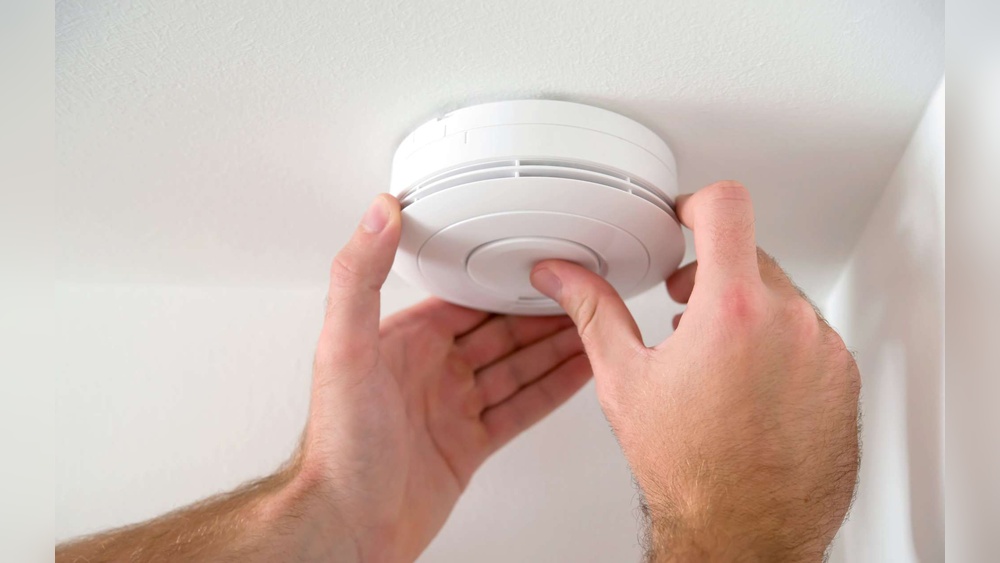

Is that constant beeping from your smoke detector driving you crazy? You’re not alone.
That annoying sound can interrupt your focus, disturb your sleep, and make you feel stressed. But don’t worry—there’s a simple way to stop it. In this guide, you’ll learn exactly how to turn off your smoke detector beeping quickly and safely.
Keep reading, and you’ll be able to enjoy peace and quiet again in no time.
Common Causes Of Smoke Detector Beeping
Smoke detectors beep to alert you about possible dangers or maintenance needs. Understanding the common causes helps you stop the beeping safely. This knowledge keeps your home safe and quiet.
Low Battery Signals
Most smoke detectors beep when their battery runs low. The sound repeats every few minutes. This warning helps you replace the battery before the alarm stops working. Changing batteries regularly prevents surprise beeps.
Dust And Debris Issues
Dust or dirt inside the detector can cause false beeps. Small particles block the sensor and confuse the alarm. Cleaning the detector gently with a vacuum or soft brush fixes this problem. Keep the detector free from dust for smooth work.
Sensor Malfunctions
Sensors can fail due to age or damage. A faulty sensor may beep randomly or stay silent during smoke. Replacing the smoke detector is often the best solution. Regular checks help you spot sensor problems early.
End Of Life Alerts
Smoke detectors have a limited lifespan, usually 8 to 10 years. Near the end, the detector signals with a beep. This alert means it’s time to replace the entire unit. Using an old detector reduces home safety.

Credit: www.youtube.com
Simple Steps To Stop The Beeping
Smoke detector beeping can be annoying and distracting. It often signals a problem that needs quick attention. Following simple steps helps stop the beeping fast. These steps ensure your safety and peace of mind. Learn how to fix common causes of the noise below.
Replacing The Battery
Low battery is the main cause of smoke detector beeping. Open the detector’s cover carefully. Remove the old battery and insert a new one. Use the battery type recommended by the manufacturer. Close the cover tightly. The beeping should stop after battery replacement.
Cleaning The Detector
Dust and debris can trigger false alarms or beeping. Turn off the power to the detector first. Use a soft brush or vacuum cleaner to remove dust. Clean the vents and sensor area gently. Regular cleaning keeps the detector working well. This step often stops random beeping sounds.
Resetting The Device
Resetting the smoke detector can clear errors causing beeps. Press and hold the reset button for 15 seconds. Some models need the battery removed before resetting. After resetting, wait for the detector to restart. This simple action can stop persistent beeping quickly.
Advanced Troubleshooting Techniques
Advanced troubleshooting techniques help solve persistent smoke detector beeping. These steps go beyond basic fixes like changing batteries. They focus on wiring, placement, and device updates. Follow these tips to stop beeping and keep your home safe.
Checking The Wiring
Smoke detectors connected to your home’s wiring may beep due to loose or damaged wires. Turn off the power before inspecting. Check if wires are connected tightly and without corrosion. Look for frayed or broken wires that need repair. Secure any loose connections. This can stop false alarms and unwanted beeping.
Inspecting The Smoke Detector Placement
Placement affects how smoke detectors work and beep. Avoid installing detectors near kitchens or bathrooms where steam or cooking smoke triggers false alarms. Keep detectors away from vents, fans, and windows. These spots cause airflow issues that lead to beeping. Place detectors on ceilings or high walls, as recommended by the manufacturer.
Upgrading To New Models
Older smoke detectors may beep frequently due to aging sensors or outdated technology. New models offer better accuracy and longer battery life. They also include features like silence buttons and smart alerts. Upgrading helps reduce false alarms and makes maintenance easier. Choose detectors certified by safety organizations for the best results.

Credit: www.angi.com
Preventing Future Beeping Problems
Preventing future beeping problems is key to keeping your home safe and quiet. Smoke detectors often beep due to simple issues you can avoid. Taking small steps helps stop that annoying sound before it starts. Here are some tips to keep your smoke detector working well and silent.
Regular Maintenance Tips
Check your smoke detectors every month. Dust and dirt can cause false alarms or beeping. Use a soft brush or vacuum to clean the device gently. Avoid spraying water or cleaners on it. Test the alarm by pressing the test button. Make sure the sound is loud and clear. Regular checks keep your smoke detector ready to work.
Battery Replacement Schedule
Replace batteries at least once a year. Some smoke detectors use 9-volt batteries, others use AA or AAA. Use fresh, good-quality batteries for best results. Low battery power often causes beeping sounds. Mark a date on your calendar to remember battery changes. Consider changing batteries during daylight saving time changes.
Proper Installation Advice
Install smoke detectors in the right places. Avoid areas near kitchens or bathrooms where steam or smoke can cause false alarms. Place detectors on ceilings or high on walls. Keep them away from windows and vents. Follow the manufacturer’s instructions for best placement. Proper installation reduces false beeping and ensures safety.

Credit: waynealarm.com
Frequently Asked Questions
Why Is My Smoke Detector Beeping Continuously?
A continuous beep usually means the battery is low or dead. Replace the battery promptly to stop the noise. If beeping persists, check for dust or sensor issues that might need cleaning or replacement.
How Do I Silence A Smoke Detector Beep Temporarily?
Press the “silence” or “hush” button on the detector to mute it temporarily. This usually lasts 8-15 minutes, allowing you to address the cause without constant noise. Always fix the root issue to prevent recurring beeps.
Can Removing The Battery Stop The Smoke Detector Beep?
Yes, removing the battery stops the beep temporarily, but it disables the alarm. This is unsafe as it won’t detect smoke. Always replace the battery quickly instead of leaving it off without power.
What Causes Smoke Detectors To Beep Without Smoke?
Low batteries, dust buildup, or sensor malfunctions often cause false beeping. Regular cleaning and battery replacement help maintain proper function and stop unnecessary alarms.
Conclusion
Smoke detector beeping can be annoying and stressful. Finding the cause helps stop the noise quickly. Check the battery first—it often needs replacing. Clean the detector to remove dust and debris. Make sure the detector is properly installed and not expired.
Regular maintenance keeps your home safe and quiet. Taking these simple steps prevents false alarms and long beeps. Stay calm and follow the easy tips to fix the problem. Your peace of mind matters most.