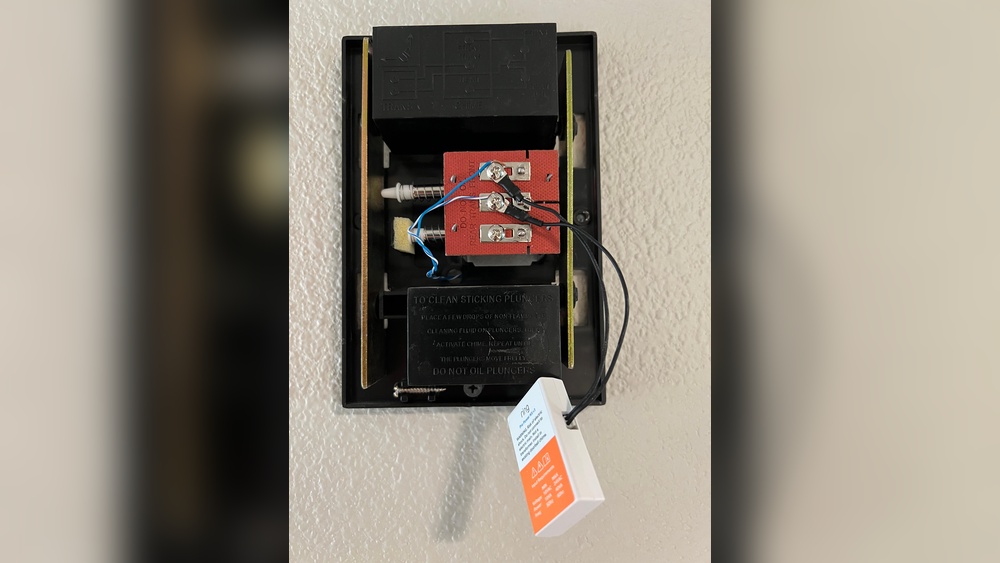

Are you ready to boost your home security with a Ring Video Doorbell Wired, but worried because you don’t have an existing doorbell? You’re not alone, and the good news is—it’s easier than you think to install your new doorbell without one.
Imagine being able to see who’s at your door from anywhere, get instant alerts, and keep your home safer—all without the hassle of complicated wiring or extra equipment. In this guide, you’ll learn simple, step-by-step instructions to get your Ring Video Doorbell Wired up and running quickly, even if you’re starting from scratch.
Keep reading, and by the end, you’ll have a clear plan to protect your home with confidence.
Credit: www.youtube.com
Tools And Materials Needed
Installing a Ring Video Doorbell Wired without an existing doorbell needs specific tools and materials. Preparing these items before starting saves time and makes the process easier.
Each tool and material has a role in the installation. Using the right ones ensures a safe and smooth setup.
Basic Tools Required
You need a drill with drill bits to make holes in your wall. A screwdriver will help secure the doorbell to the wall. A level tool ensures the doorbell is straight. Wire strippers are necessary to prepare the wires for connection.
Electrical Supplies
Use electrical tape to cover wire connections for safety. Wire nuts help join wires securely. A voltage tester is important to check if wires have power. Low voltage wires, usually 16-24 volts, connect the doorbell to power.
Ring Video Doorbell Wired Kit
The kit includes the doorbell unit and mounting bracket. It also contains screws and anchors for wall mounting. Check that the doorbell box has all parts before starting installation.
Additional Materials
Using a power drill anchor is useful for mounting on brick or concrete walls. A pencil helps mark drill points on the wall. A ladder may be necessary to reach the installation height.
Credit: www.excelcare24.co.uk
Preparing The Installation Site
Preparing the installation site is the first step for your Ring Video Doorbell Wired setup. Good preparation makes the process easier and the final result better. Take time to choose the right spot and mark the mounting points carefully. This helps the doorbell work well and look neat.
Careful planning also helps avoid mistakes that might cause extra work later. Follow the steps below to get started on the right foot.
Choosing The Best Location
Select a spot near your main entrance. The doorbell should see visitors clearly. Avoid areas with too much sunlight or glare. Check the Wi-Fi signal strength at the location. Strong signal means better video and sound quality. The doorbell should be about 48 inches off the ground. This height captures faces well for clear identification. Also, avoid places where rain or direct weather hits the doorbell.
Marking The Mounting Points
Hold the mounting bracket at the chosen spot. Use a pencil to mark the holes for screws. Make sure the bracket is level to keep the doorbell straight. Double-check the marks before drilling. Accurate marks prevent the doorbell from tilting. Use a drill bit that fits the screws. Drilling carefully avoids damage to walls or surfaces.
Wiring Without An Existing Doorbell
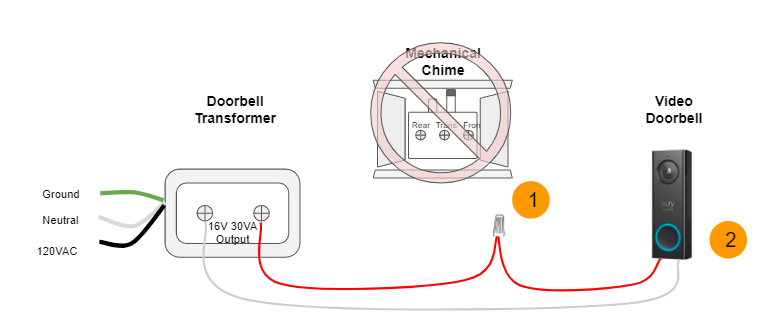
Installing a Ring Video Doorbell Wired without an existing doorbell requires creating a new wiring setup. This process involves selecting a suitable power source and running wires safely to the doorbell location. Understanding these steps ensures a secure and functional installation.
Selecting The Power Source
The Ring Video Doorbell Wired needs a constant power supply of 16-24 volts AC. Choose a transformer that matches this voltage. Many homes have power near the main electrical panel or fuse box. Pick a spot that is easy to access for wiring. Use a low voltage transformer designed for doorbells or thermostats. Avoid using high voltage sources to prevent damage to your doorbell.
Running The Wires Safely
Plan the wire path from the power source to the doorbell location. Use low voltage cable rated for doorbell use. Keep wires away from high voltage lines and water sources. Secure wires along walls or inside conduits to protect them from damage. Avoid sharp bends or pinching wires during installation. Test the wires before connecting to ensure proper power flow.

Credit: vicentetorns.com
Mounting The Ring Video Doorbell
Mounting the Ring Video Doorbell is the key step for a secure setup. This process ensures your doorbell stays in place and works properly. Follow simple steps to attach and connect the device correctly. Proper mounting helps the doorbell capture clear video and respond to visitors fast.
Attaching The Mounting Bracket
Start by choosing a flat surface near your door. Use a pencil to mark where screws will go. Hold the mounting bracket in place and mark screw holes. Drill small pilot holes to make screwing easier. Use the included screws to fix the bracket firmly. Make sure it does not wobble or move.
Connecting The Wires To The Doorbell
Strip the ends of the wires to expose the metal. Loosen the screws on the back of the doorbell. Attach each wire to the screw terminals securely. Tighten the screws so wires do not slip out. Check for proper contact but avoid over-tightening. Once connected, place the doorbell on the bracket. Snap it in place until you hear a click.
Setting Up The Device
Setting up your Ring Video Doorbell Wired without an existing doorbell is simple. This section guides you through the basic steps to get your device ready. Follow these clear instructions to start using your doorbell quickly and safely.
Downloading The Ring App
First, download the Ring app on your smartphone. It is available for both iOS and Android devices. Open your app store, search for “Ring,” and tap the download button. After installation, open the app and create an account or log in.
Connecting To Wi-fi
Next, connect your Ring Video Doorbell to your home Wi-Fi network. In the app, select “Set up a Device” and choose “Doorbells.” Follow the prompts to connect to your Wi-Fi. Make sure your phone is near the doorbell during this step for a strong signal.
Configuring Device Settings
After connecting to Wi-Fi, customize your doorbell settings. Set motion detection zones to reduce false alerts. Adjust notification preferences to suit your needs. Check for software updates to ensure your device runs smoothly. These settings improve your security and user experience.
Testing And Troubleshooting
Testing and troubleshooting your Ring Video Doorbell Wired is important after installation. It ensures the device works properly without an existing doorbell. This step saves time and avoids frustration. Follow simple checks to confirm power and connectivity. Fix common problems easily with basic tips.
Checking Power And Connectivity
First, confirm the doorbell has power. Check the wiring connections carefully. Loose wires can cause power loss. Use a voltage tester to verify power supply. The Ring app shows if the device is online. A steady light on the doorbell means it is powered. Check your Wi-Fi signal strength near the doorbell. Weak Wi-Fi causes connection issues. Move your router closer or add a Wi-Fi extender.
Resolving Common Issues
Restart the doorbell by pressing the reset button. This can fix many minor glitches. Make sure the Ring app is up to date. Clear the app cache if it shows errors. Check for firmware updates for the doorbell. Firmware updates improve device performance. If video is blurry, clean the camera lens gently. Test the doorbell button to ensure it rings. Replace batteries in your chime if it doesn’t sound. Contact Ring support if problems persist after these steps.
Tips For Optimal Performance
To get the best results from your Ring Video Doorbell Wired, focus on a few key steps. These tips help keep your device working well and capture clear video. Proper setup and regular care make a big difference in performance.
Follow these simple guidelines to enjoy clear views and reliable alerts at your door.
Adjusting Camera Angles
Set the camera angle to cover your main entry clearly. Avoid pointing it too high or too low. Aim the lens to catch faces and visitors approaching your door.
Test different angles to find the best view. Make sure no walls or plants block the camera. A clear line of sight improves motion detection and video quality.
Maintaining Battery And Firmware
Keep the battery charged if your model uses one. Low power can affect video and alerts. Check battery levels often and recharge or replace as needed.
Update the firmware regularly. New updates improve security and add features. Connect your doorbell to Wi-Fi and check for updates in the Ring app. Staying current helps your device run smoothly.
Frequently Asked Questions
How Do I Power A Ring Wired Without A Doorbell?
You can power the Ring Wired using the Ring Plug-In Adapter. It plugs into a standard outlet and powers the doorbell directly, bypassing the need for existing doorbell wiring.
Can I Install Ring Wired Without Professional Help?
Yes, installation is straightforward with the Ring Wired. Follow the step-by-step guide and use the tools included for a DIY setup.
What Tools Are Needed To Install Ring Wired Without A Doorbell?
You need a drill, screwdriver, level, and the mounting hardware included with the Ring Wired. No specialized electrical tools are required.
Will Ring Wired Work With Existing Chimes?
Without an existing doorbell, the internal chime won’t function. Use the Ring app’s notifications as your alert system instead.
Conclusion
Installing a Ring Video Doorbell Wired without an existing doorbell is simple. Just follow the steps carefully and take your time. You will enjoy better home security and easy visitor alerts. No need to worry about complicated wiring or extra tools.
This guide helps you set up your doorbell correctly and quickly. Start protecting your home today with confidence and ease. Safety and convenience are now within reach.