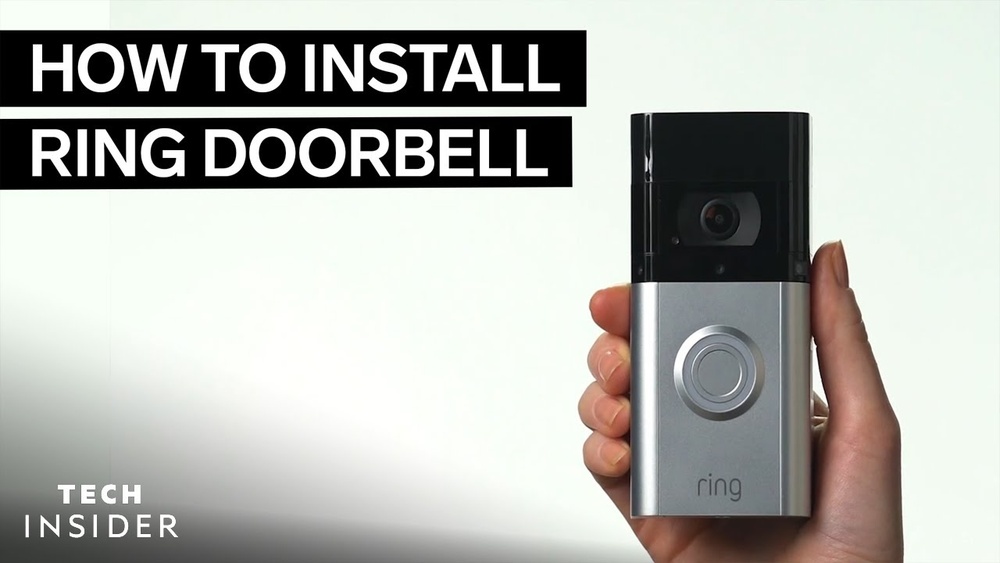

Are you ready to boost your home’s security with a smart, easy-to-use device? Installing a Wireless Ring Video Doorbell is a great way to see who’s at your door, even when you’re not home.
Imagine answering your doorbell from your phone, getting instant alerts, and keeping your family safe—all with one simple gadget. In this guide, you’ll discover step-by-step instructions that make the installation quick and hassle-free. Keep reading, and you’ll have your Ring Video Doorbell up and running in no time.
Preparing For Installation
Preparing for the installation of your wireless Ring Video Doorbell is a key step. It ensures a smooth and quick setup. Before starting, take time to get everything ready. This helps avoid delays and frustration during the process.
Preparation includes checking what you received, gathering tools, and picking the right spot. Each part is important for a successful installation. Let’s look at these steps in detail to help you get started with confidence.
Checking Package Contents
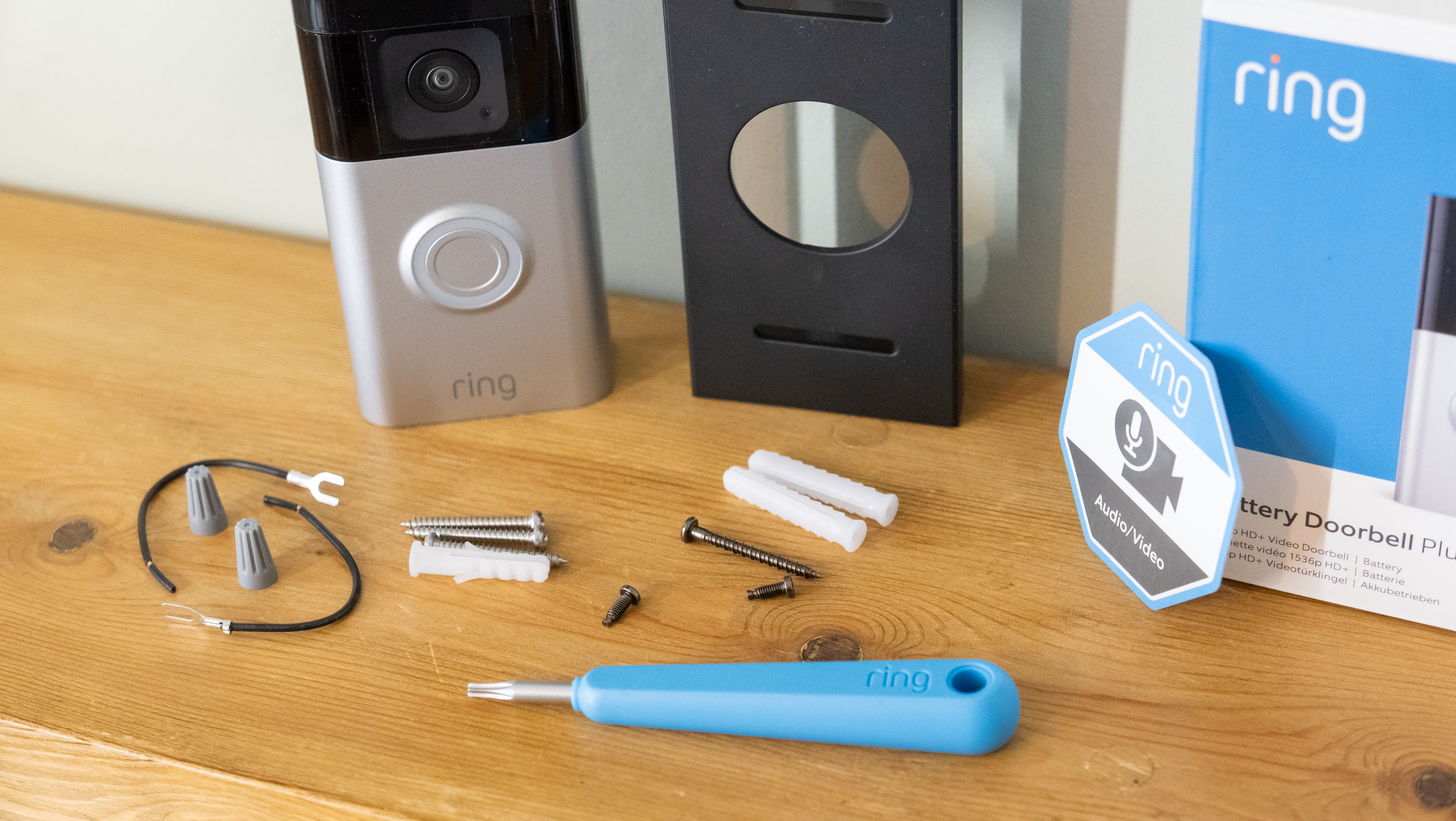
Open the box carefully and check every item. You should find the Ring Video Doorbell, mounting bracket, screws, and anchors. There may be a charging cable and a quick start guide too. Make sure nothing is missing or damaged. This saves time later and prevents extra trips to the store.
Gathering Necessary Tools
Collect the tools needed for installation. Usually, a drill, screwdriver, and level are essential. Some models might need a small wrench or wire stripper. Having these tools ready avoids interruptions. Also, find a ladder or step stool if your doorbell mounts high. Safety first.
Choosing The Installation Location
Pick a spot near your front door with a clear view of visitors. Avoid places with direct sunlight or heavy rain exposure. The location should have a strong Wi-Fi signal. Check the height too. About 4 to 5 feet from the ground works best. This lets the camera capture faces clearly.
Credit: www.younghouselove.com
Setting Up The Doorbell
Setting up the Ring Video Doorbell is simple and quick. Follow the steps carefully to ensure your doorbell works perfectly. This section covers key tasks to get your device ready.
Start by charging the battery. Then connect the doorbell to your Wi-Fi. Finally, create your Ring account to control the device.
Charging The Doorbell Battery
Remove the battery from the doorbell. Use the included USB cable to charge it. A full charge takes about 5 hours. Wait until the light on the battery turns green. This means the battery is ready to use.
Connecting To Wi-fi Network
Turn on the doorbell by pressing the button. Open the Ring app on your smartphone. Follow the app instructions to connect to your home Wi-Fi. Make sure your phone is near the doorbell. Use the correct Wi-Fi name and password. A strong Wi-Fi signal helps the doorbell work well.
Creating A Ring Account
Open the Ring app and select “Create Account.” Enter your email address and create a password. Add your phone number for extra security. Agree to the terms and conditions. After this, log in to your new account. This account lets you control the doorbell and see visitors.
Mounting The Doorbell
Mounting the Ring Video Doorbell correctly is key for its performance. A secure mount keeps the device stable and ensures clear video. Follow these steps to install the doorbell safely and effectively.
Marking Drill Points
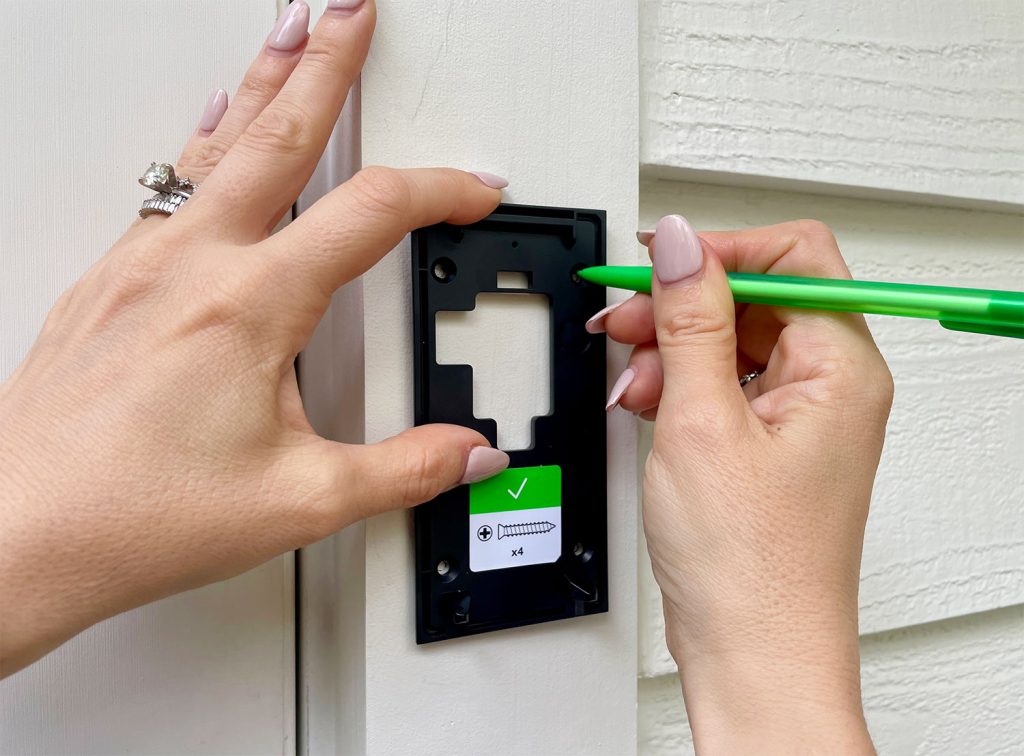
Start by holding the mounting bracket on the wall. Use a pencil to mark the holes where you will drill. Make sure the bracket is level before marking. This step helps you drill in the right spots. Accurate marks prevent mistakes and save time.
Drilling Holes And Installing Anchors
Use a drill to make holes at the marked points. Choose a drill bit that fits the wall anchors. Insert the anchors into the holes after drilling. Anchors provide strong support for the screws. They keep the doorbell steady on different surfaces.
Attaching The Mounting Bracket
Align the bracket with the drilled holes and anchors. Insert screws through the bracket into the anchors. Tighten screws firmly but avoid over-tightening. The bracket must be stable and flush against the wall. Now the doorbell is ready to attach securely.
Credit: vixencomposites.com
Securing The Doorbell Unit
Securing the doorbell unit is a key step in installing your wireless Ring Video Doorbell. This step ensures the device stays in place and works well. Proper securing also protects the doorbell from theft or damage.
Follow each step carefully for a strong and safe setup. Use the tools provided and check every connection.
Placing The Doorbell On The Bracket
Start by aligning the doorbell with the mounting bracket. Hold the device gently. Slide it downwards onto the bracket until it clicks. The doorbell should fit snugly without wobbling. This step helps the doorbell stay steady on your wall or door frame.
Locking The Device In Place
Next, use the small security screw or lock that came with your kit. Insert it into the slot at the bottom or side of the doorbell. Tighten it with a screwdriver. This lock keeps the doorbell from being removed easily. Double-check the lock is firm but not too tight to avoid damage.
Testing The Physical Installation
Gently tug the doorbell to confirm it is secure. It should not move or come loose. Press the button to ensure it works properly. Check the camera angle to make sure it covers your entryway well. Fix any loose parts before moving on to setup your device.
Configuring The Device
Configuring your Wireless Ring Video Doorbell is an important step. It helps you get the best use from your device. This process lets you adjust settings to fit your needs. You can control how it senses motion and sends alerts. Also, you can connect it to other smart home gadgets. These options make your doorbell more useful and secure.
Setting Up Motion Detection
Start by opening the Ring app on your phone. Find the motion settings in the device menu. You can choose how sensitive the motion sensor is. Adjust the detection zones to cover key areas only. This helps avoid false alerts from nearby streets or trees. Test the settings by moving in front of the doorbell. Change the zones if the alerts are too frequent or missed.
Adjusting Notification Settings
Notifications keep you informed about visitors and motion. Choose which alerts you want to receive. You can turn on or off notifications for motion or doorbell presses. Set quiet hours to avoid alerts at night. Make sure notifications are enabled in your phone settings too. This way, you never miss an important alert.
Linking With Smart Home Devices
Connecting your Ring doorbell to smart home devices adds convenience. Link it with smart lights to turn on when motion is detected. Sync it with voice assistants like Alexa or Google Assistant. This allows voice commands to check the doorbell’s status. Follow the app’s instructions to connect devices securely. Test the connections to ensure they work smoothly.

Credit: www.youtube.com
Troubleshooting Common Issues
Troubleshooting common issues can save time and improve your Ring Video Doorbell experience. Many users face simple problems that are easy to fix. This section covers the most frequent issues and how to solve them quickly.
Wi-fi Connectivity Problems
Strong Wi-Fi signal is essential for your Ring doorbell. Place the device close to your router for better signal strength. Check your internet speed to ensure it meets Ring’s requirements. Restart your router if the connection is slow or lost. Use the Ring app to test the Wi-Fi signal at your doorbell’s location. Changing your router’s channel can reduce interference from other devices.
Battery And Power Issues
Low battery is a common cause of device problems. Charge the battery fully using the provided charger. Remove the battery and reinstall it if the doorbell does not respond. Make sure the power source is reliable for hardwired models. Replace the battery if it no longer holds a charge. Clean the contacts to ensure good connection between the battery and device.
Video And Audio Quality Tips
Clear video and audio improve your security and communication. Clean the camera lens regularly to avoid blurry images. Adjust the motion sensitivity in the app to reduce false alerts. Check the microphone and speaker for dirt or damage. Test the audio during a live view to ensure clarity. Update the Ring app and device firmware for best performance.
Maintaining Your Doorbell
Keeping your Ring Video Doorbell in good shape helps it work well for years. Regular care stops problems before they start. It also keeps video clear and the device responsive. Follow these simple steps to maintain your doorbell easily.
Cleaning The Lens And Body
Wipe the lens gently with a soft cloth. Use water or a mild cleaner if needed. Avoid harsh chemicals that might damage the lens. Clean the doorbell’s body to remove dust and dirt. This keeps the camera clear and the sensors working.
Updating Firmware
Check for firmware updates often in the Ring app. Updates improve security and add new features. Connect your doorbell to Wi-Fi before updating. Start the update and let it finish without interruption. Updated firmware keeps your device running smoothly.
Replacing The Battery
Watch for low battery alerts in the Ring app. Remove the doorbell from its mount carefully. Slide out the old battery and insert a new, charged one. Make sure the battery clicks into place. Replace the doorbell on the mount securely. Regular battery checks prevent unexpected downtime.
Frequently Asked Questions
How Do I Install A Wireless Ring Video Doorbell?
To install, first charge the battery fully. Mount the bracket using screws or adhesive. Attach the doorbell, then connect it to your Wi-Fi via the Ring app. Test the device to ensure proper setup and functionality.
What Tools Are Needed For Installation?
You need a drill, screwdriver, level, and measuring tape. These tools help mount the bracket securely and align the doorbell properly for best performance.
How Do I Connect Ring Doorbell To Wi-fi?
Open the Ring app, select your device, and follow the setup wizard. Choose your Wi-Fi network and enter the password to complete the connection.
Can I Install The Ring Doorbell Without Drilling?
Yes, use the included adhesive mounting bracket for drill-free installation. Ensure the surface is clean and smooth for strong adhesion and secure placement.
Conclusion
Installing a wireless Ring Video Doorbell is simple and quick. Follow each step carefully for the best results. Test the doorbell to make sure it works well. Enjoy the safety and convenience it adds to your home. Regularly check the battery and app for updates.
Stay connected with visitors, even when you are away. This small device can make a big difference in home security. Now you are ready to protect your home smartly and easily.


