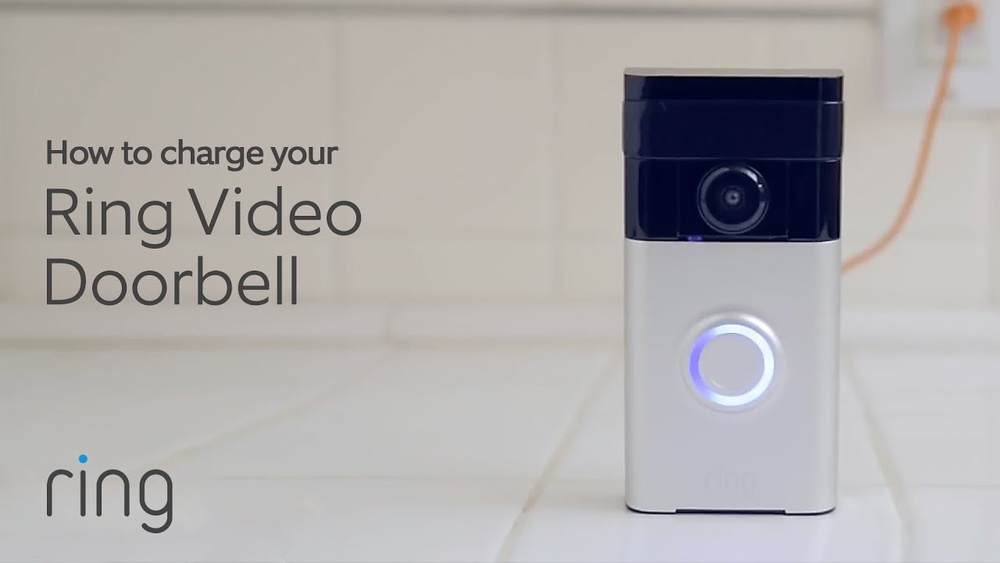

Your Ring Video Doorbell is a great way to keep your home safe and stay connected with visitors. But what happens when the battery runs low?
Knowing how to recharge your Ring Video Doorbell quickly and easily can save you from missing important alerts. In this guide, you’ll discover simple steps to get your device powered up again, so it keeps watching over your home without interruption.
Keep reading to make sure your Ring stays ready whenever you need it.
Credit: ring.com
Types Of Ring Video Doorbells
Ring Video Doorbells come in different types. Each type uses a different power source. Knowing the type helps you recharge it the right way. This guide covers the two main types of Ring doorbells. Understanding these helps keep your device working well.
Battery-powered Models
Battery-powered Ring doorbells run on a rechargeable battery. You can remove the battery to charge it. Charging usually takes a few hours. Some models show battery status in the app. You can also charge the battery while it is inside the doorbell. These models offer easy installation without wiring.
Hardwired Models
Hardwired Ring doorbells connect to your home’s existing doorbell wiring. They get power continuously from the wires. This means no need to remove or charge batteries. However, these models may have a backup battery. The backup helps during power outages. Installation requires basic electrical work or professional help.
When To Recharge Your Doorbell
Knowing the right time to recharge your Ring Video Doorbell is important. It keeps your device working well and ready to capture every visitor. Ignoring battery levels can lead to missed alerts or a dead doorbell. Pay attention to your doorbell’s signals to recharge at the best moment.
Battery Life Indicators
Your Ring app shows clear battery life indicators. Check the battery percentage regularly in the app. A full battery lasts several months, but this depends on usage. The app alerts you when the battery is low. It often shows a red or yellow icon. These signs mean it is time to recharge soon.
Common Signs Of Low Battery
The doorbell may act slow or stop working. Video quality can drop or the device may disconnect. You might miss motion alerts or live view fails to load. The doorbell’s light could flash or turn off. These are common signs that the battery needs charging. Do not wait too long to plug it in.
Tools Needed For Recharging
Recharging your Ring Video Doorbell requires a few simple tools. Having the right accessories makes the process easier and faster. Preparing these tools before you start saves time and avoids frustration.
Required Accessories
You need a compatible USB charging cable. Most Ring Doorbells use a micro-USB or USB-C cable. The charging cable comes with the device or can be bought separately.
A power adapter is necessary to plug the cable into a wall outlet. Use one with the correct voltage for safe charging.
A small screwdriver helps to remove the doorbell from its mount. Ring Doorbells often use a security screw at the bottom.
A stable ladder or step stool may be needed if the doorbell is high on your wall.
Safety Precautions
Turn off any connected power to avoid electric shock. Unplug the device before removing it from the mount.
Handle the charging cable and power adapter with dry hands only.
Use a sturdy ladder and do not overreach when removing or installing the doorbell.
Keep the charging area clear to prevent tripping or dropping the device.
Steps To Remove The Doorbell
Removing your Ring Video Doorbell is the first step to recharge it. The process is simple but needs care. Follow clear steps to avoid damage to your device.
Start by understanding the tools and techniques needed. This guide covers using the release tool and handling the device carefully. These tips keep your doorbell safe and working well.
Using The Release Tool
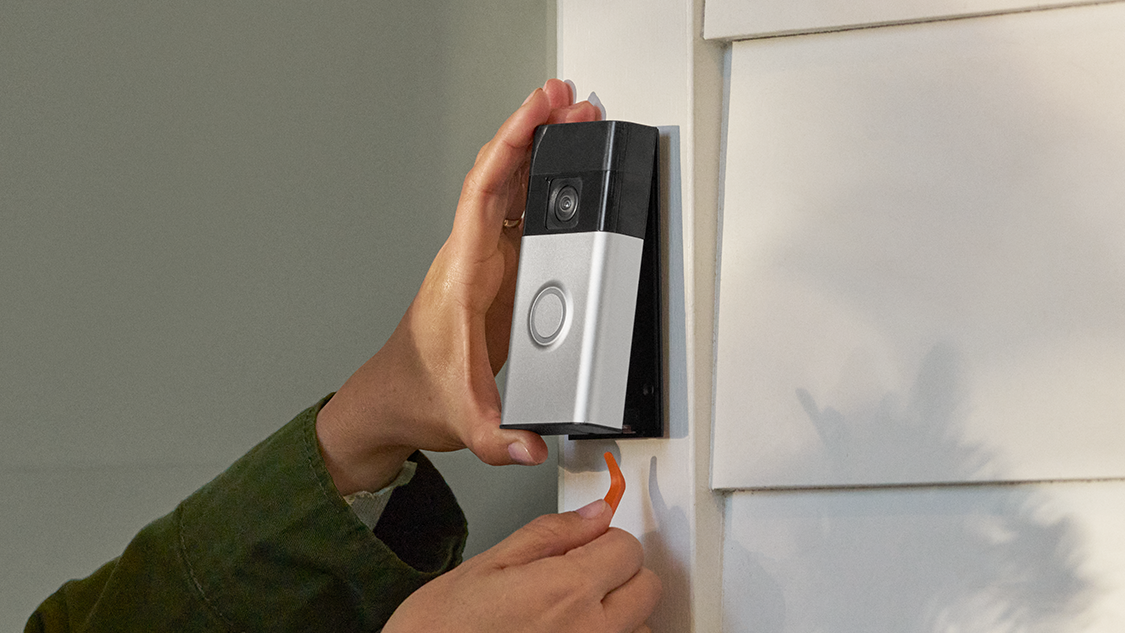
Locate the release tool included in your Ring package. It looks like a small, thin key. Insert it into the slot at the bottom of your doorbell.
Push gently but firmly to unlock the device. You will hear a click sound. This means the doorbell is free from the mount.
Pull the doorbell straight away from the wall. Avoid twisting or bending it. This prevents damage to the wiring and mount.
Handling The Device Carefully
Hold the doorbell with both hands after removal. Do not drop or shake it. Keep it away from water or dirt.
Place the device on a soft surface. This protects the screen and camera lens from scratches. Avoid touching the camera lens or buttons.
Keep the doorbell safe until you recharge it. Handle it gently to maintain its condition and function.
Charging The Battery
Keeping your Ring Video Doorbell charged ensures it works all day and night. The battery needs regular charging to stay active and ready. Charging the battery is simple and quick. Follow these steps to keep your doorbell powered.
Connecting To A Charger
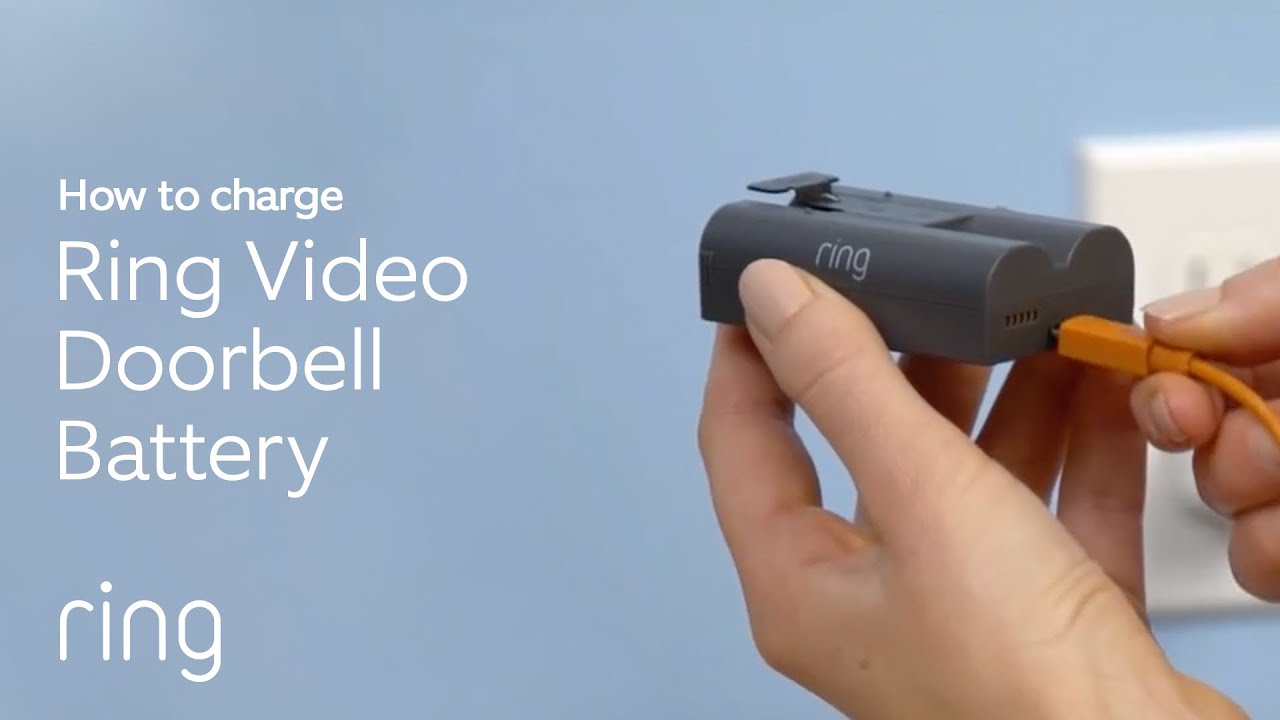
Remove the doorbell from its mount. Use the small release button on the side. Connect the charging cable to the battery port. Plug the other end into a USB charger or power bank. Ensure the connection is secure and stable. Avoid forcing the cable to prevent damage.
Charging Time And Tips
The battery takes about 5 to 10 hours to fully charge. Charge overnight for best results. Use a charger with 5V and 1A output for safe charging. Avoid charging in extreme temperatures. Keep the battery away from water or dust. Check the light indicator; it shows charging status.
Reinstalling The Doorbell
Reinstalling the Ring Video Doorbell is a key step after charging its battery. This ensures the device works properly and stays secure. Follow simple steps to place the doorbell back correctly on your wall or door frame.
Securing The Device
Hold the doorbell against the mounting bracket carefully. Align the bottom of the doorbell with the bracket first. Gently press the top until it clicks into place. Use the provided screws to fasten the device tightly. Make sure it does not wobble or move.
Testing The Connection
Check if the doorbell powers on after reinstalling. Open the Ring app on your phone to confirm connection. Press the doorbell button and watch for notifications. Ensure the camera feed loads without delay. This confirms the device is ready to use again.
Alternative Charging Methods
Alternative charging methods for your Ring Video Doorbell offer flexibility. They help keep your device powered without frequent battery swaps. These options suit different home setups and personal preferences. Explore how solar chargers and hardwired power can keep your doorbell active.
Using Solar Chargers
Solar chargers use sunlight to charge your Ring doorbell. Place the solar panel where it gets direct sun most of the day. Connect the panel to your doorbell’s battery pack. This method is eco-friendly and reduces manual charging tasks. It works best in sunny areas with minimal shade.
Installation is simple and requires no electrical skills. Make sure the solar panel is secure and angled correctly. Check the charge level often to ensure proper power supply. Solar charging keeps your doorbell running longer without interruptions.
Hardwired Power Options
Hardwiring your Ring doorbell connects it to your home’s existing doorbell wiring. This method provides continuous power, so you never worry about battery life. It involves linking the doorbell to low-voltage wires behind your current chime.
Professional installation is recommended for safety and proper connection. Hardwired power keeps your doorbell charged all the time. It also allows for regular doorbell chime use. This option suits homes with traditional doorbell systems and stable wiring.

Credit: ring.com
Maintaining Battery Health
Maintaining the battery health of your Ring Video Doorbell ensures it works well for a long time. Good battery care means fewer interruptions and better performance. Simple steps can keep your battery strong and reliable.
Regular Charging Habits
Charge your Ring battery before it runs out completely. Avoid letting the battery drop below 10%. Frequent charging keeps the battery healthy and ready to use. Use the original charger for the best results. Try to keep a consistent charging schedule.
Avoiding Extreme Temperatures
Keep your Ring Doorbell away from very hot or cold places. Extreme heat can damage the battery’s inside parts. Cold weather slows down battery performance. Install the doorbell in a shaded, sheltered spot. Protect it from direct sunlight and freezing winds.
Credit: www.youtube.com
Frequently Asked Questions
How Do I Recharge My Ring Video Doorbell Battery?
To recharge your Ring Video Doorbell, remove the battery pack and connect it to a USB charger. Charge for about 5 hours until fully powered. Reinstall the battery and ensure the device is functioning properly before use.
How Often Should I Recharge My Ring Doorbell Battery?
You should recharge your Ring Doorbell battery every 3 to 6 months. Frequent motion alerts and live views can drain the battery faster. Monitor the battery status in the Ring app for timely recharging.
Can I Use The Doorbell While Recharging The Battery?
No, you cannot use your Ring Video Doorbell while recharging the battery. The device needs to be powered off during charging. Remove the battery and charge it separately for uninterrupted use.
What Are Signs My Ring Doorbell Needs Recharging?
Your Ring Doorbell will show a low battery alert in the app. You might notice delayed notifications or poor video quality. If the device stops responding, recharge the battery immediately.
Conclusion
Keeping your Ring Video Doorbell charged is simple and quick. Regular recharging ensures your doorbell works without interruptions. Just follow the steps carefully to avoid any issues. A fully charged doorbell keeps your home safe and connected. Stay on top of battery levels for best performance.
Recharge often, so you never miss a visitor or alert. This small task helps your smart home run smoothly. Easy to do, worth the effort.